Case study
Photography Studio Booking
A booking platform where clients find photography studios, check availability, reserve a time and pay online, while studio owners manage their listing, schedule, bookings and payouts from one dashboard.
- Role:
- Solo full-stack developer
- Type:
- Personal product / skill demo
- Next.js
- TypeScript
- Tailwind CSS
- Supabase
- PostgreSQL
- Stripe Connect
- Mapbox
- Resend
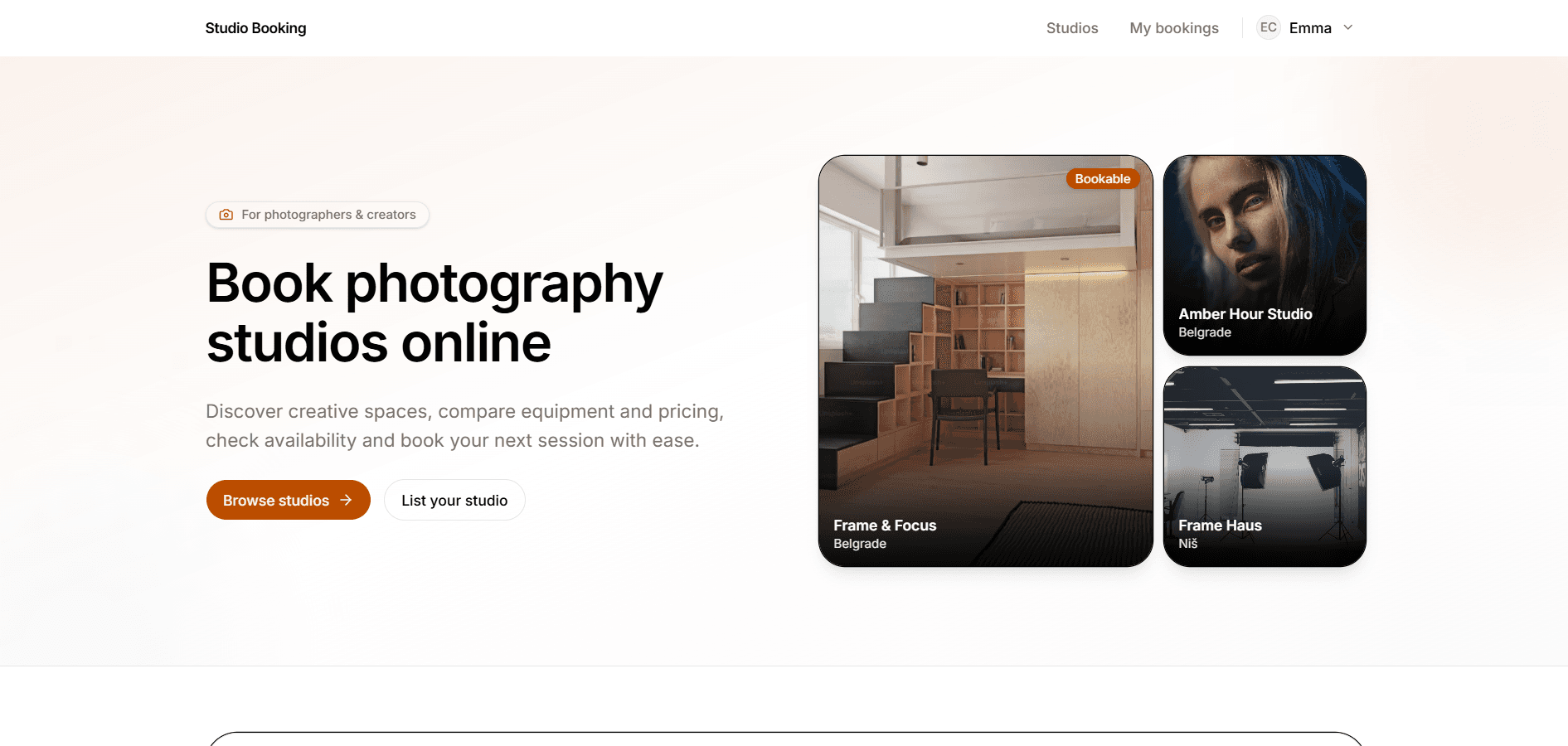
Overview
I designed and built Photography Studio Booking so photographers and creators can find a studio, see when it’s available, book a session and pay online, instead of arranging everything through calls or messages. Studio owners get one place to set up their listing, control when they’re open, handle bookings and receive payouts. Admins review applications from people who want to list a studio.
Problem
- Studios often run bookings through DMs, phone calls and spreadsheets, which leads to double bookings and missed sessions.
- Communication and notes stay scattered, so neither side has a clear record of what was reserved.
- Payments often happen by bank transfer or in person. Many studios have little or no online listing, so new clients struggle to discover them.
Goals
- Let a client find a studio, reserve an available slot without conflicts and pay securely without calling the studio.
- Give owners everything needed to list, schedule, publish and get paid from one dashboard.
- Support Coming soon and Bookable states so a studio can appear in search before online booking and payouts are fully ready.
- Give admins a simple way to review studio-owner applications and approve or reject them.
Solution walkthrough
This walkthrough covers the client booking journey, studio owner setup and listing management and the admin path for approving new studio owners.
- 01
Browse & discover
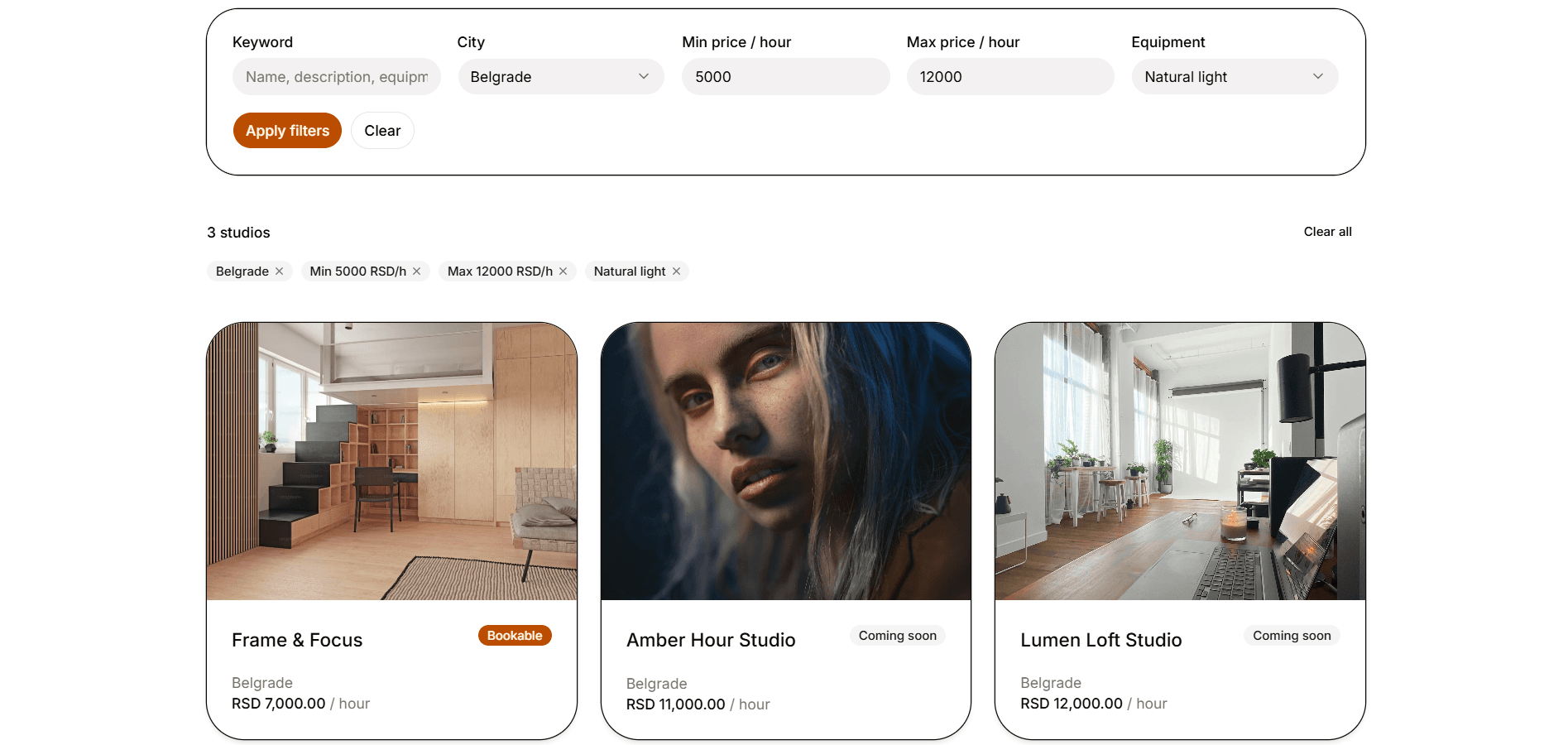
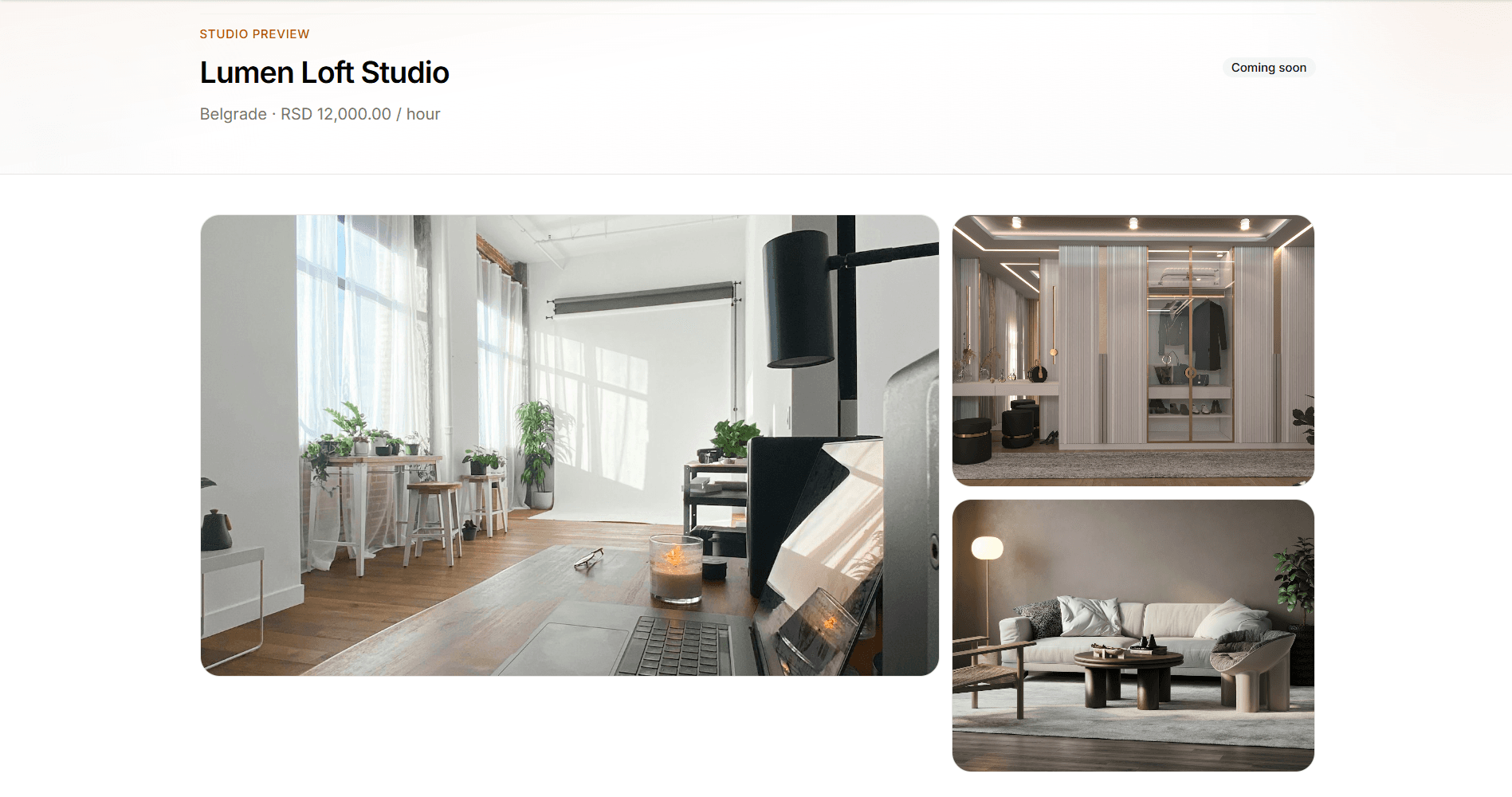
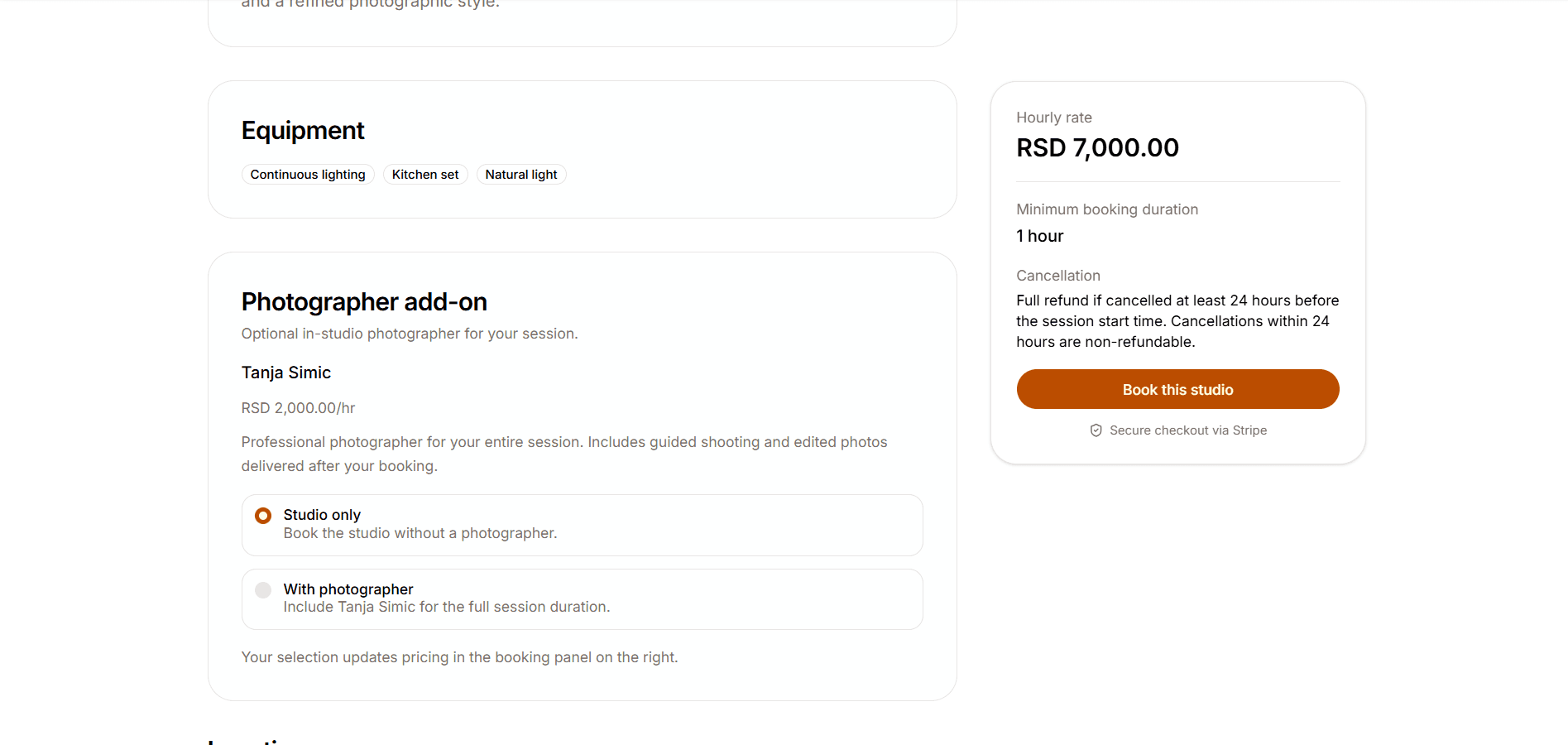
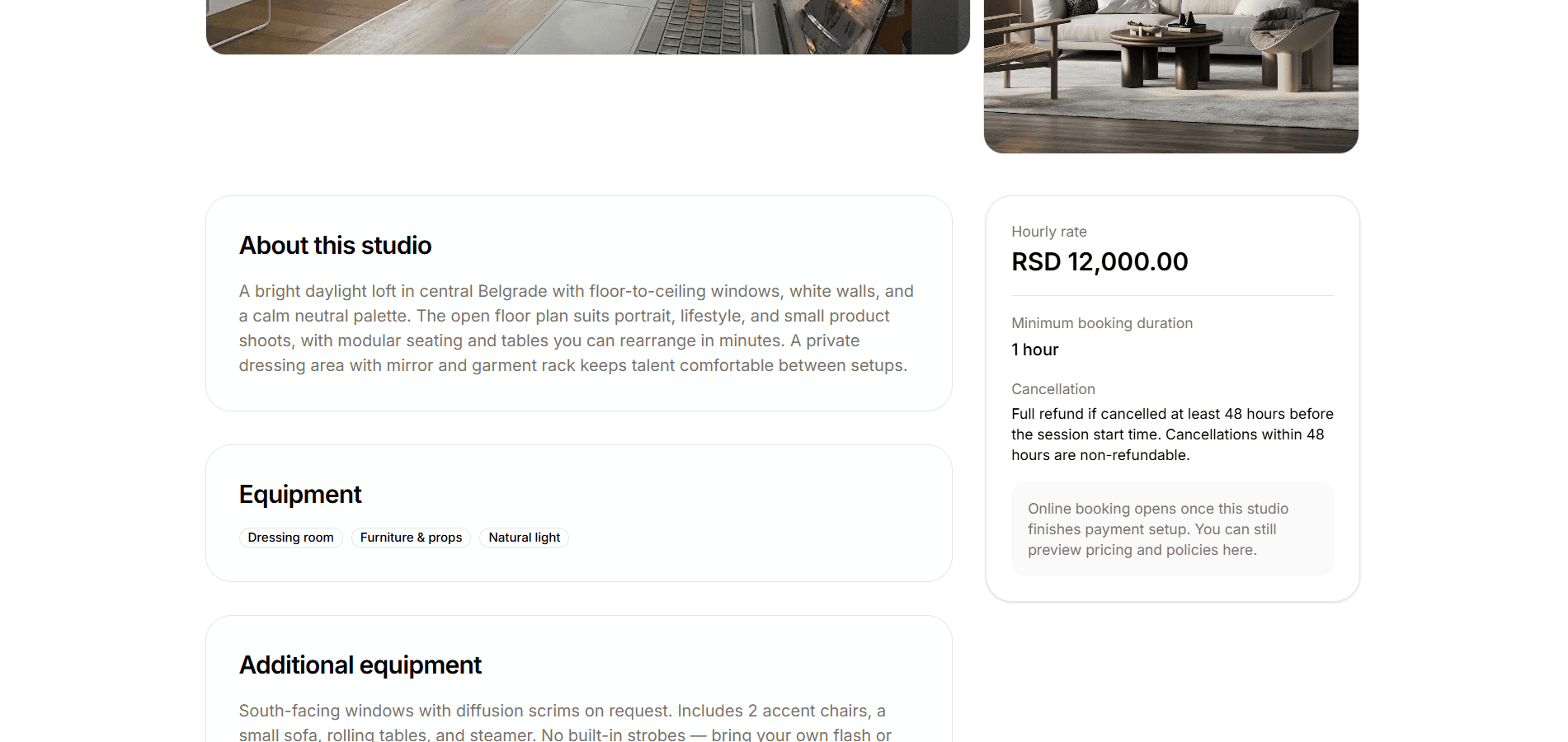
Clients browse studios and filter by keyword, city, price and equipment. Bookable studios appear first, while Coming soon studios stay easy to preview. Each studio page covers the description, hourly rate, equipment, optional photographer add-on, additional equipment, studio rules, location and gallery. On Bookable studios, clients can add an optional photographer if they want one, then start a booking. On Coming soon studios, booking stays hidden until the owner finishes payment setup.
- 02
Book a session
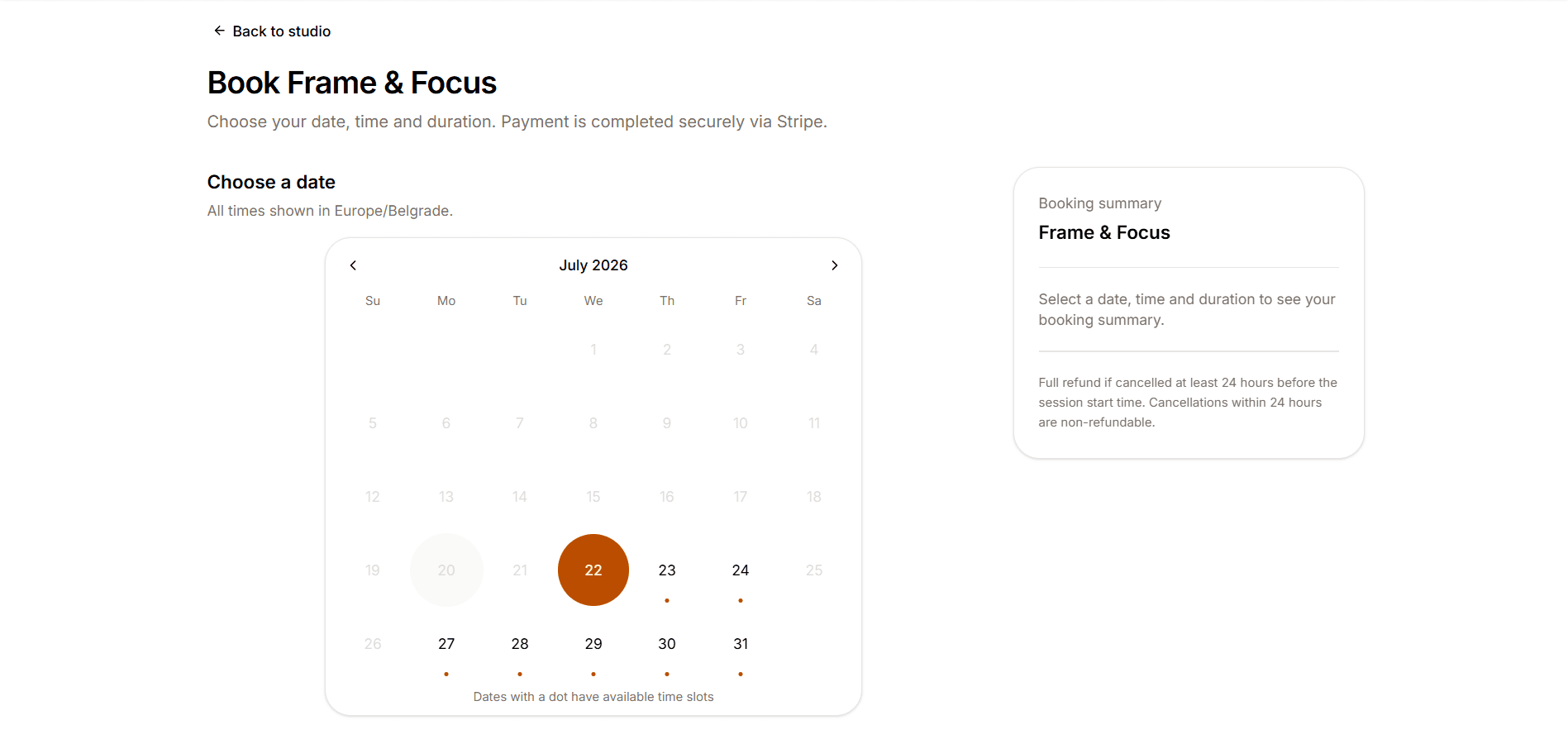
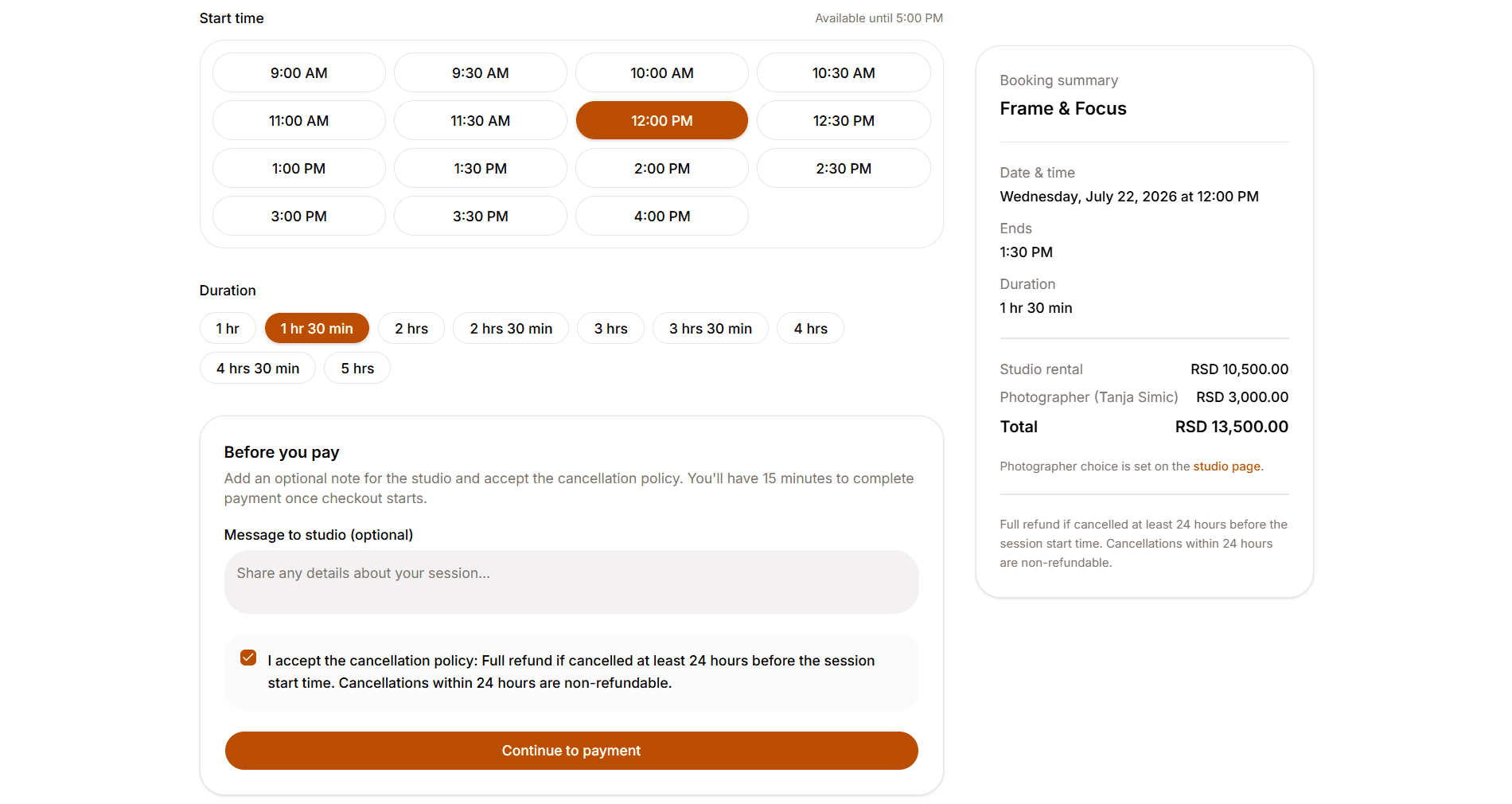
On bookable studios, clients pick a date in Europe/Belgrade time, then choose a start time in 30-minute steps and a duration. The summary shows the total for the selected duration, including an optional photographer add-on. Before checkout they can leave a note, must accept the cancellation policy and continue to payment, with a 15-minute hold on the slot while they pay.
- 03
Bookings & payment states
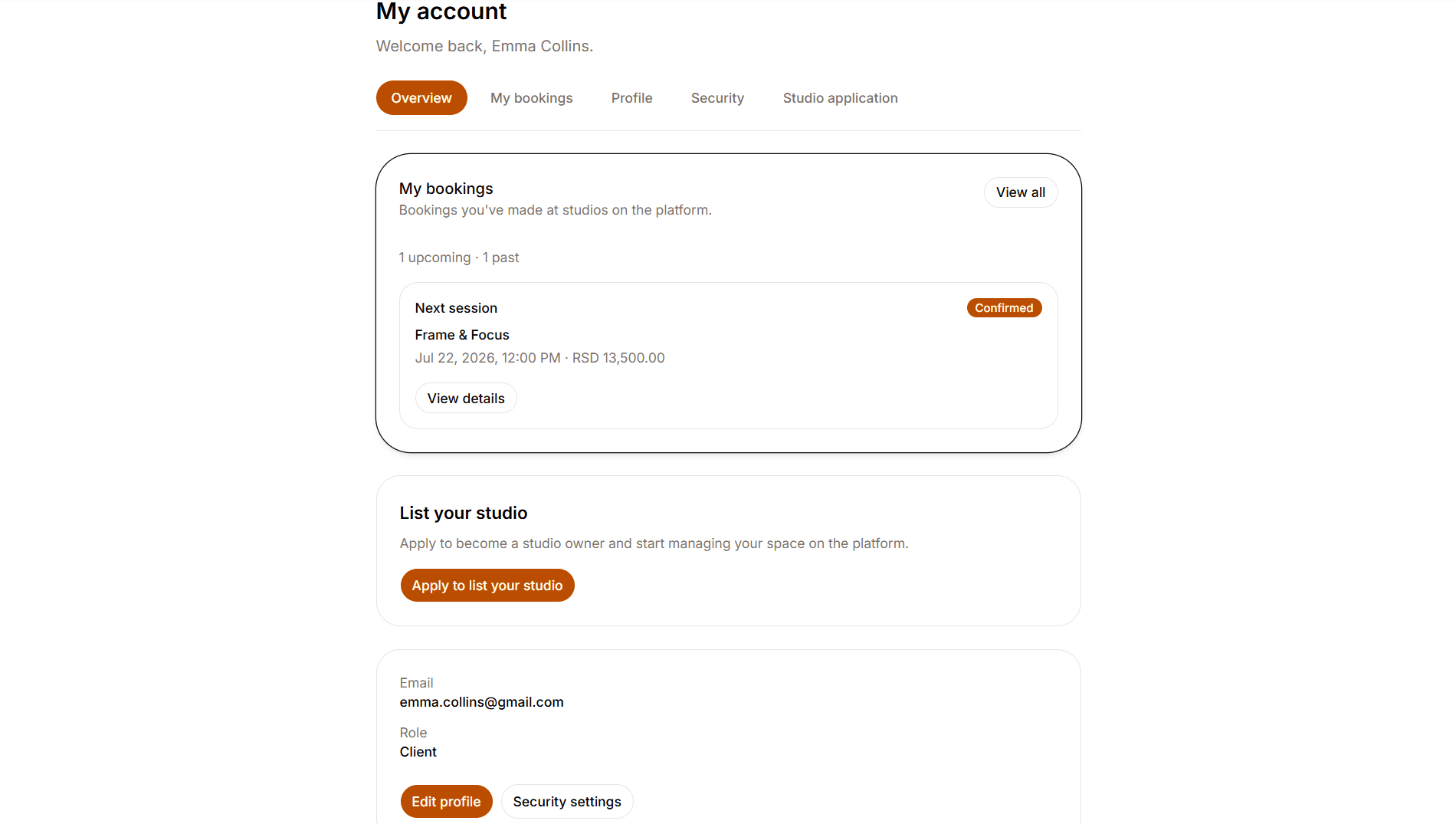
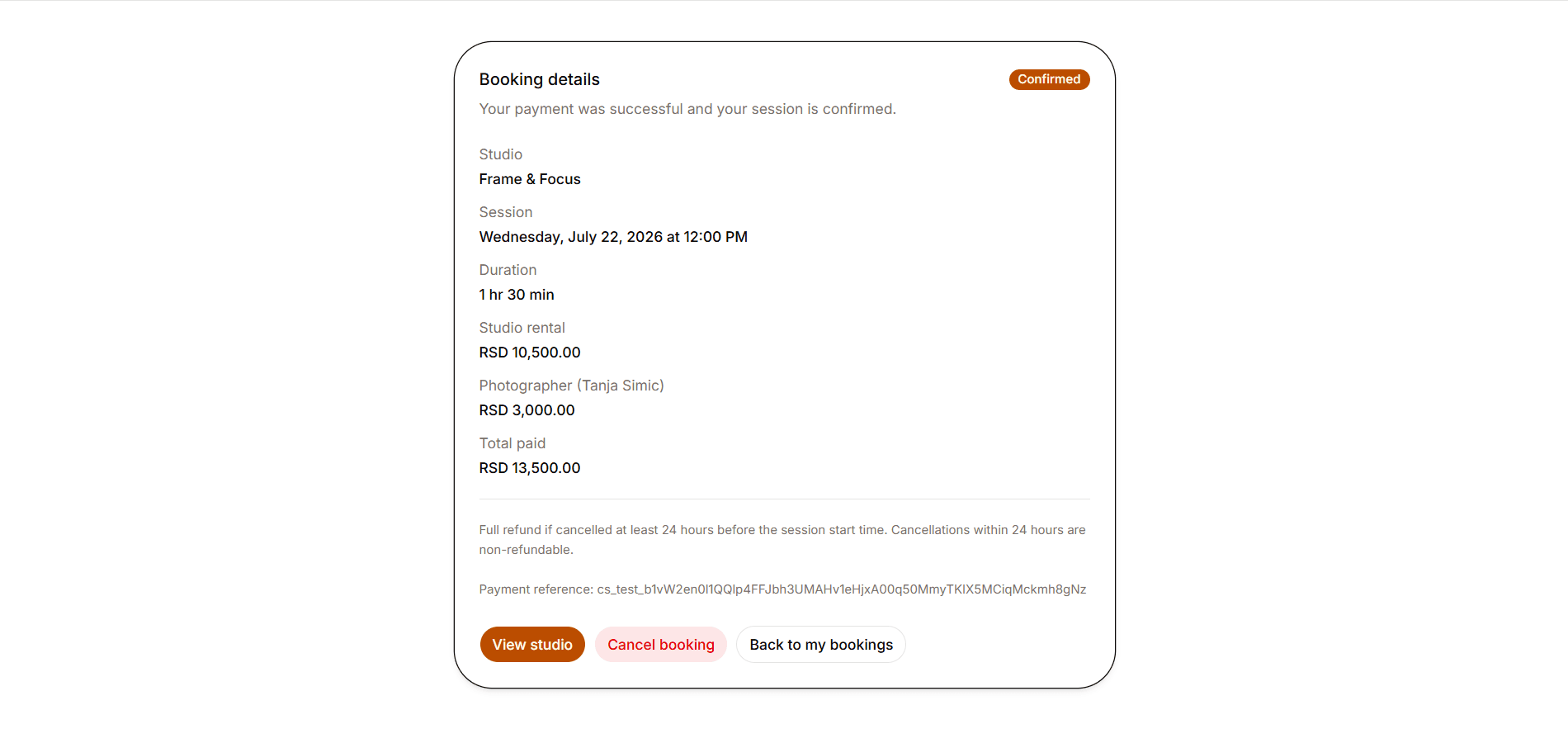
If payment isn’t finished yet, the bookings page shows the session as awaiting payment, with an option to complete payment while the hold is still active. Once payment succeeds, the booking is confirmed, with session details, a pricing breakdown and cancel options based on the studio’s refund rules.
- 04
Become a studio owner
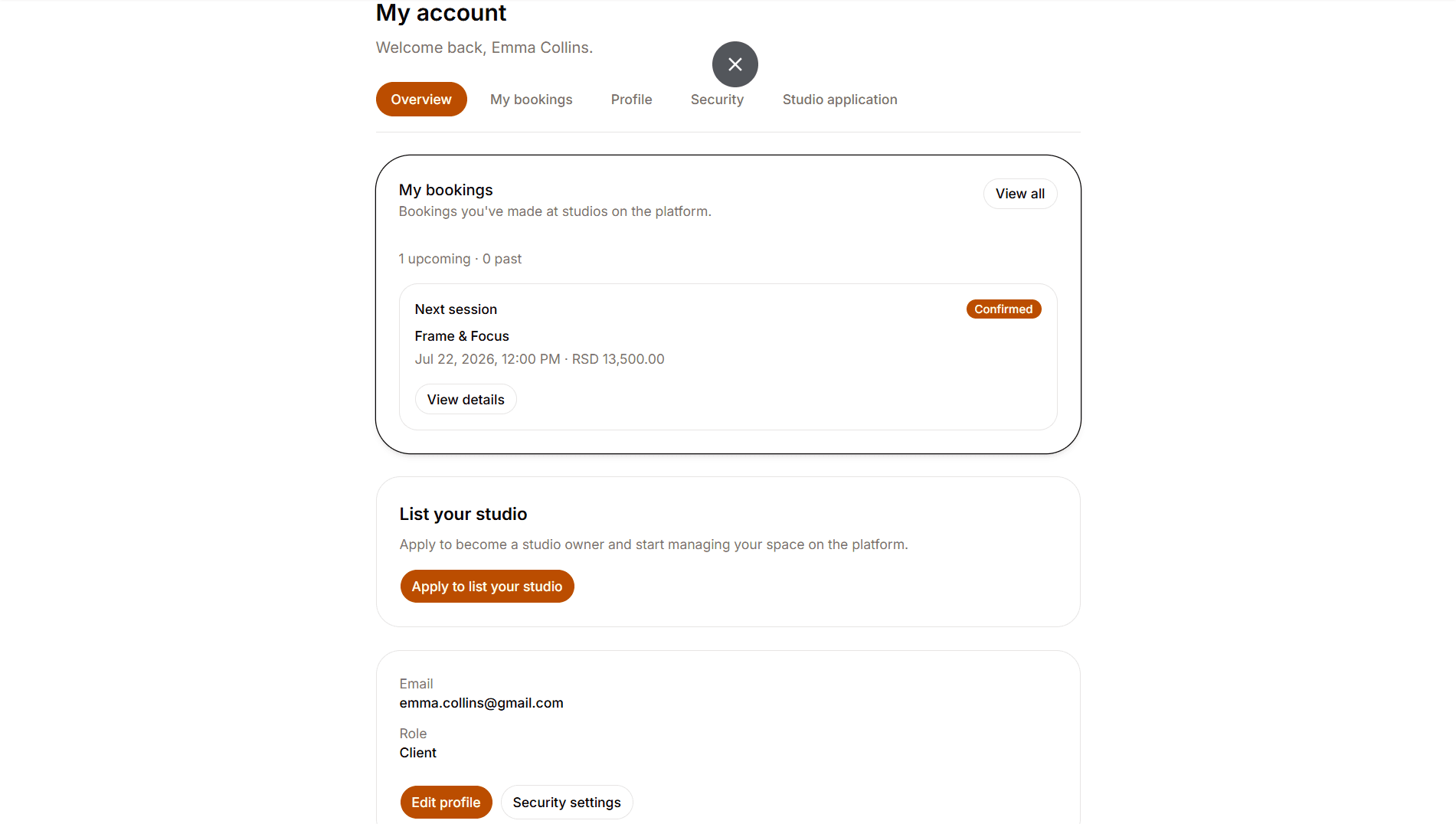
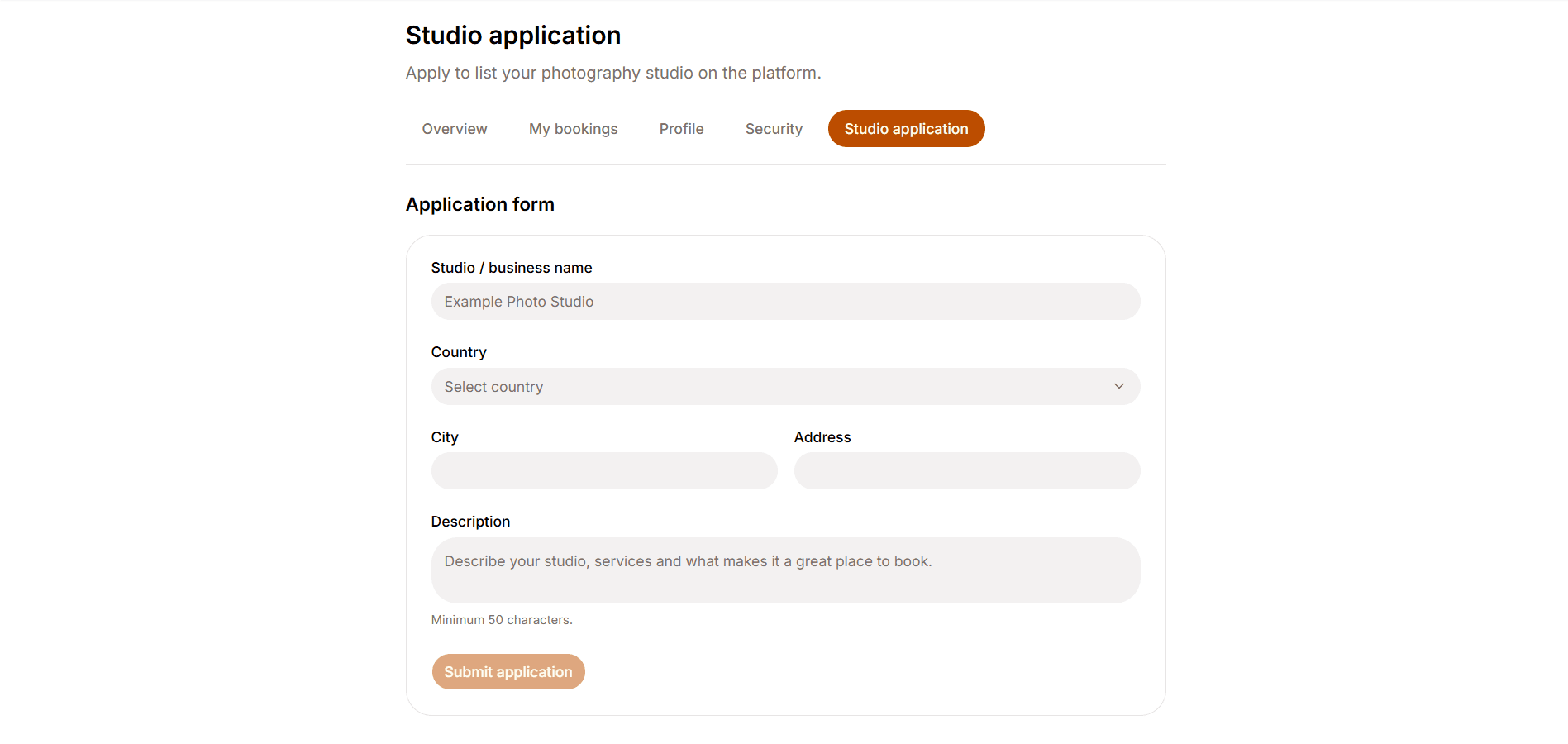
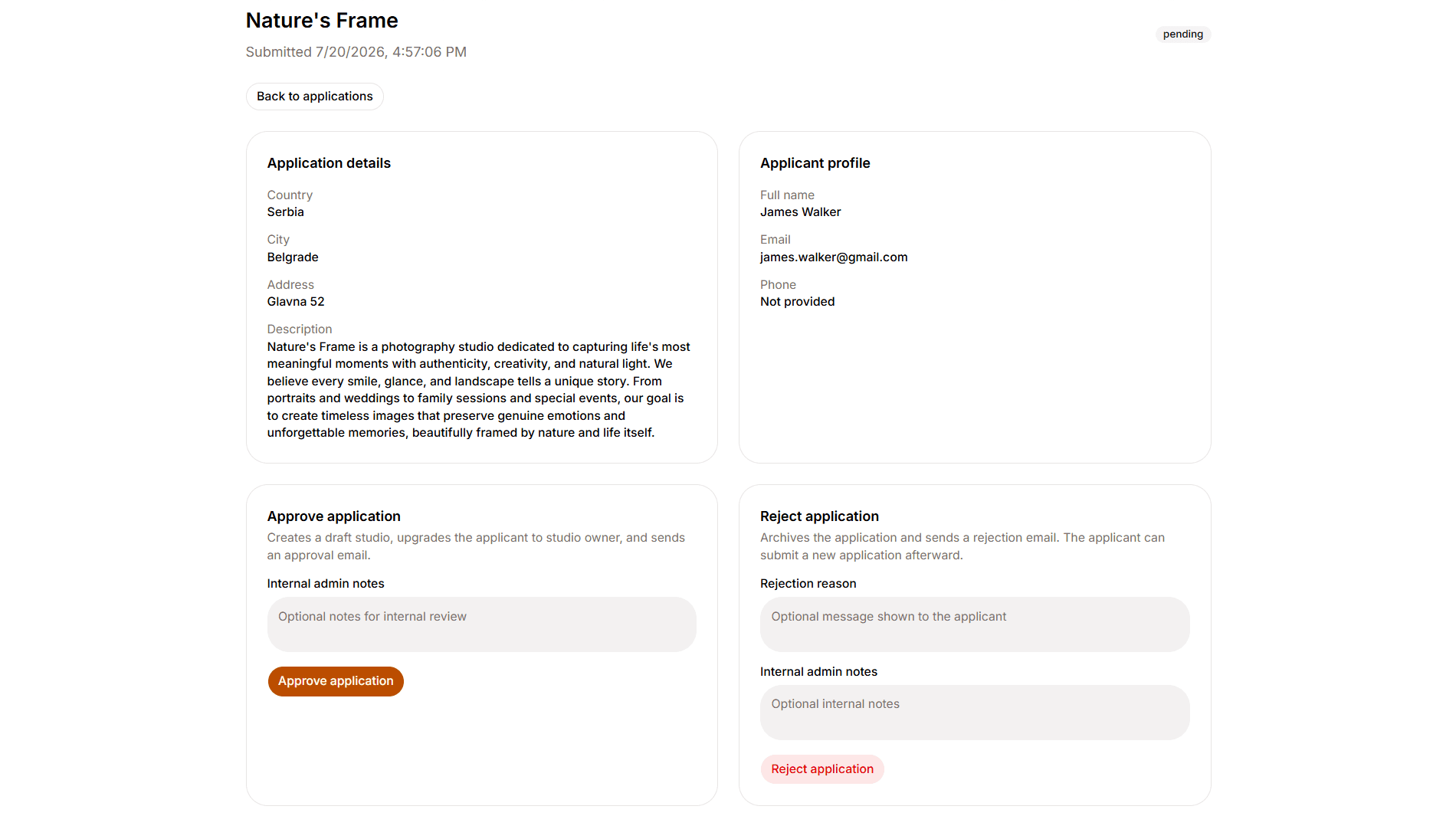
Any client can apply to list a studio from their account. The application captures business name, country, city, address and description. After submit, an admin reviews the request before the account is upgraded and a draft studio is created.
- 05
Owner setup & publish gates
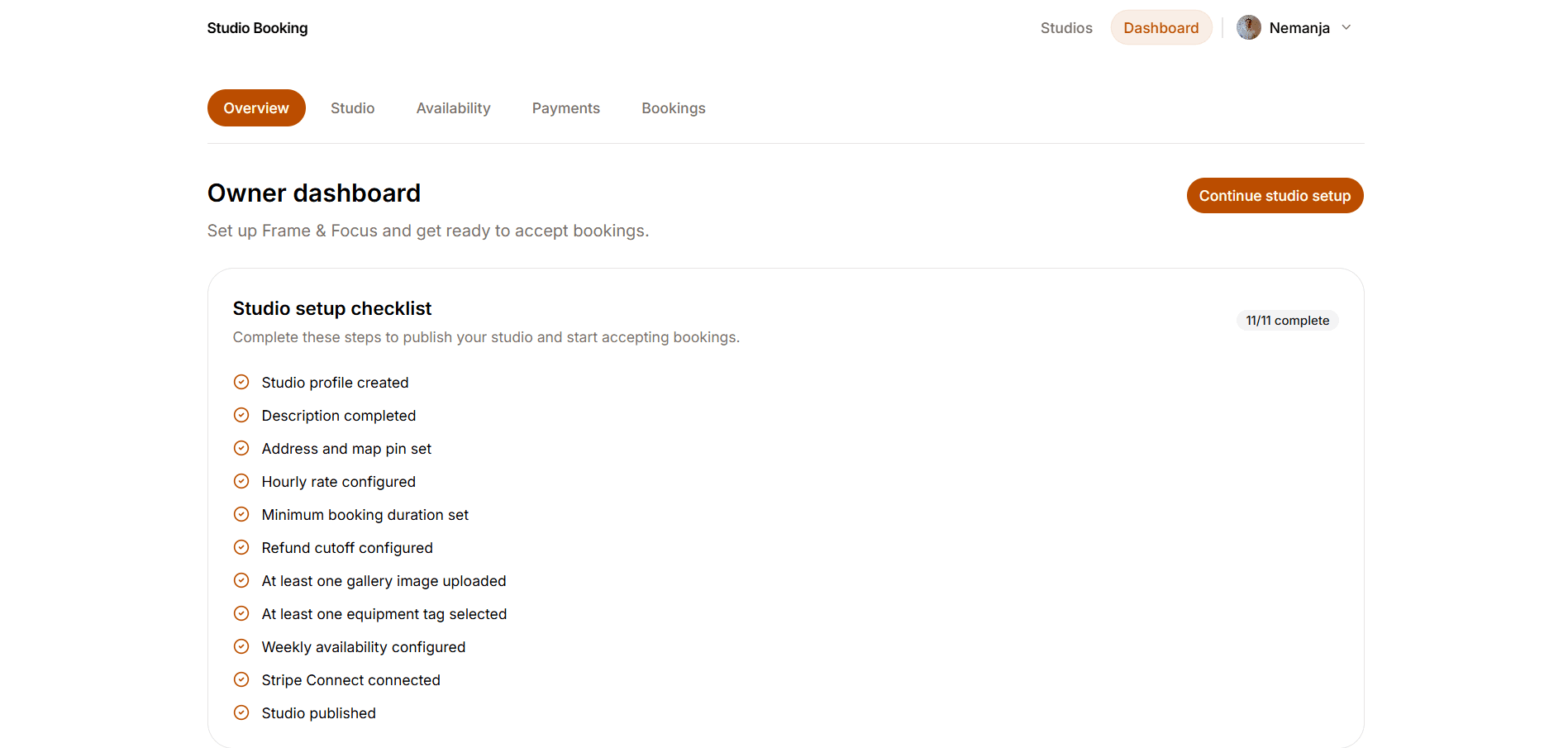
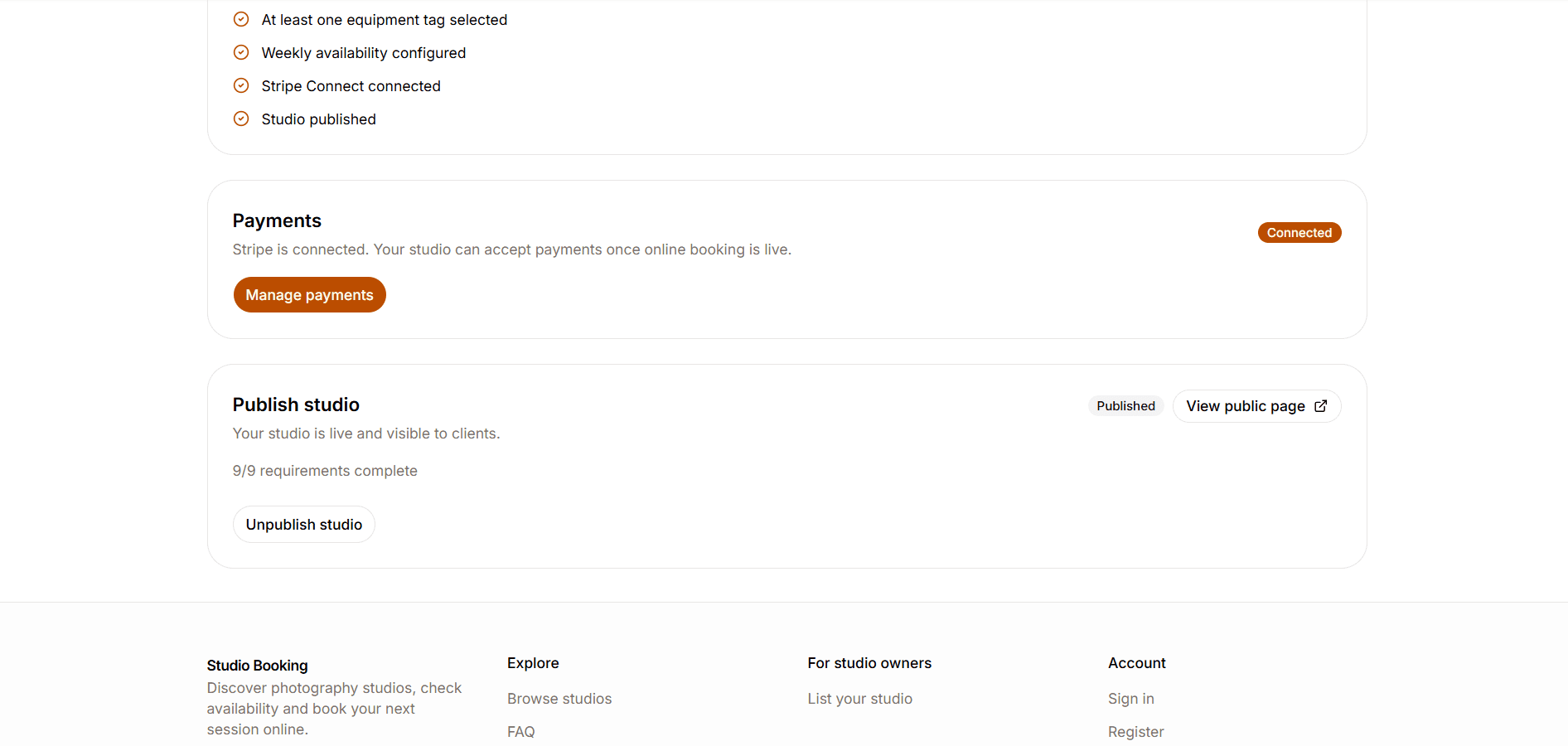
After approval, owners work through an onboarding checklist until the listing is ready to publish. Publishing makes the studio visible as Coming soon so clients can discover it. It becomes Bookable only after payouts are connected, so going public and accepting paid bookings are two separate steps.
- 06
Studio listing tools
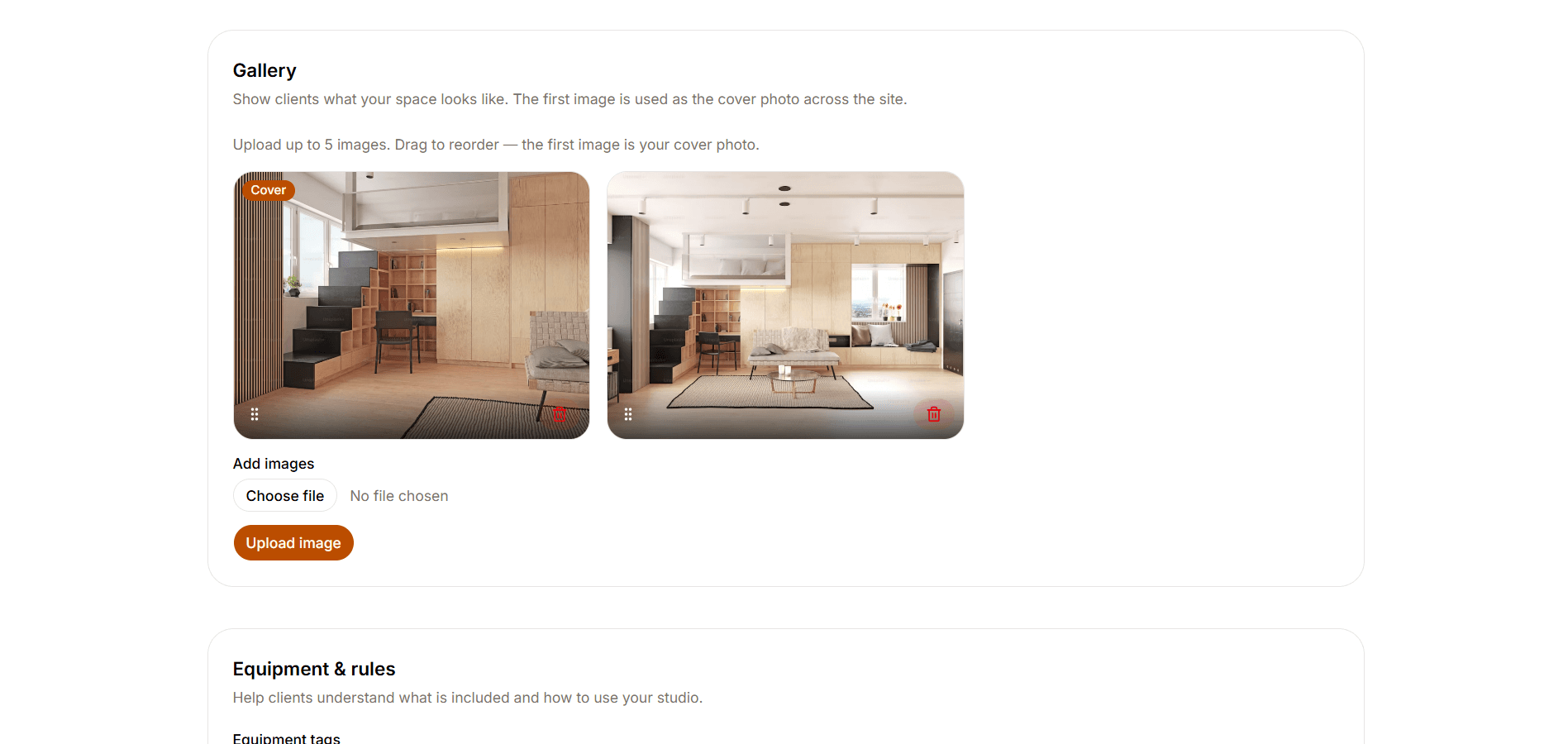
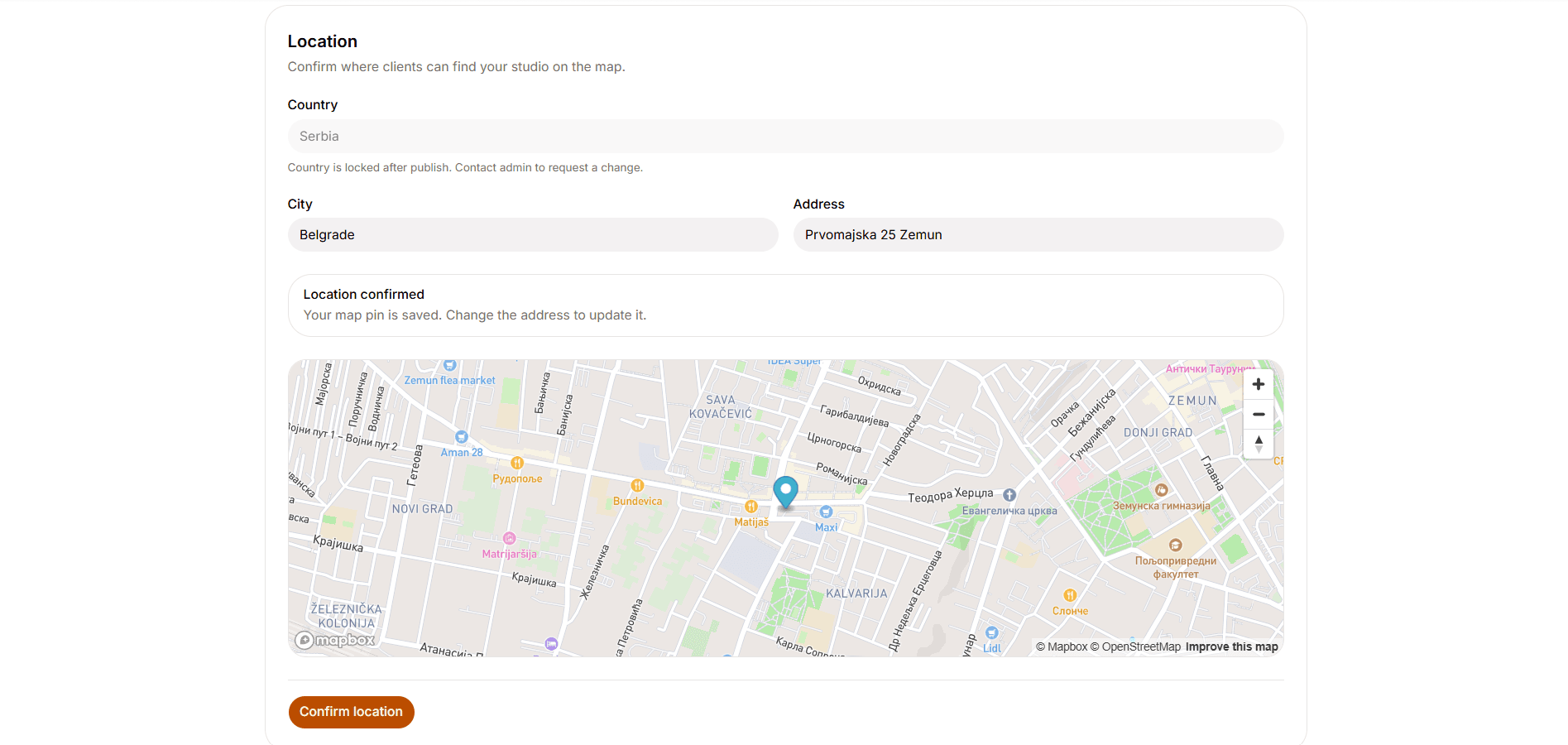
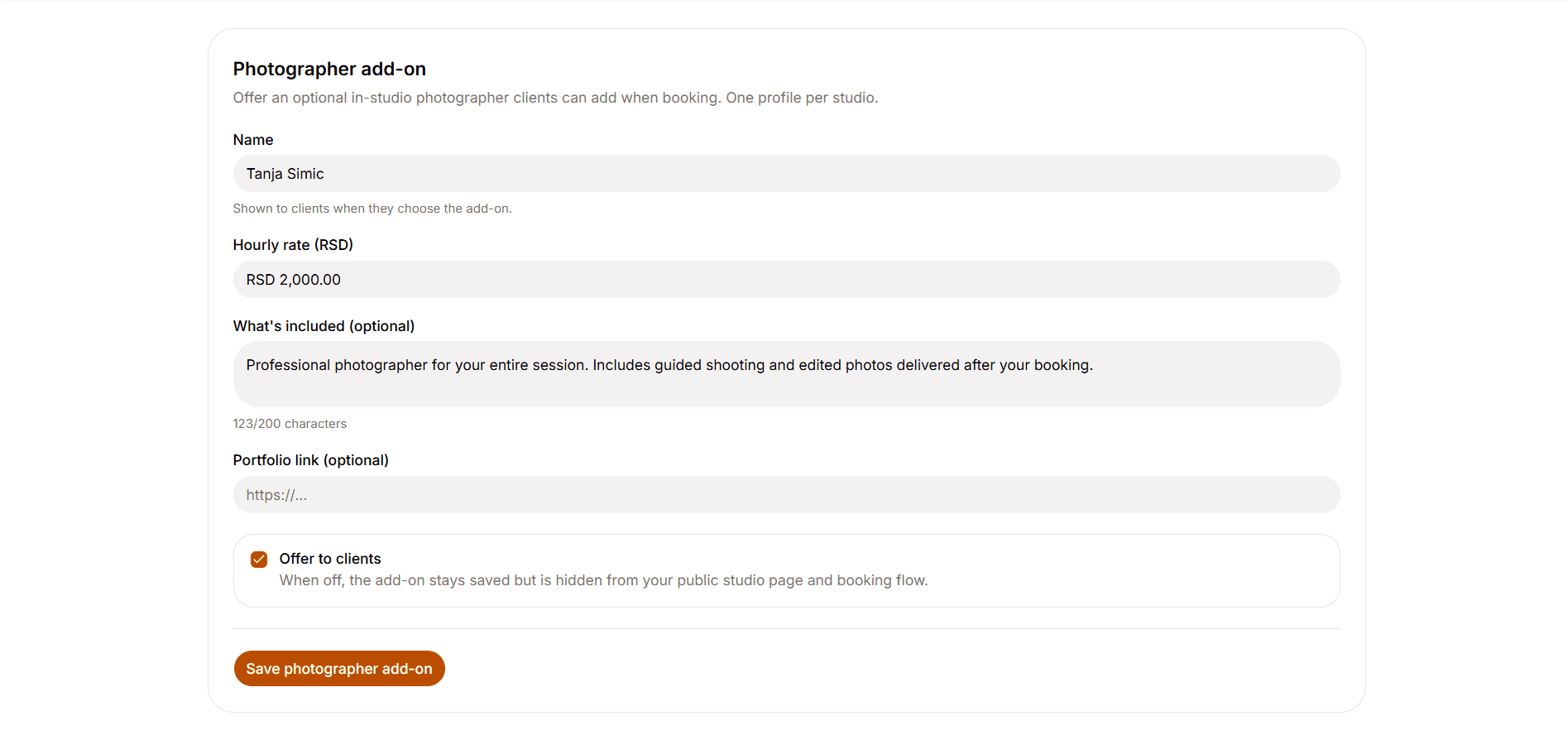
From the studio dashboard, owners build out the full listing: profile and description, pricing and refund rules, location on the map, gallery, equipment and studio rules, plus an optional photographer add-on. The screens here focus on the gallery with cover-image ordering, confirming the map pin and setting up the photographer offer clients can add at booking.
- 07
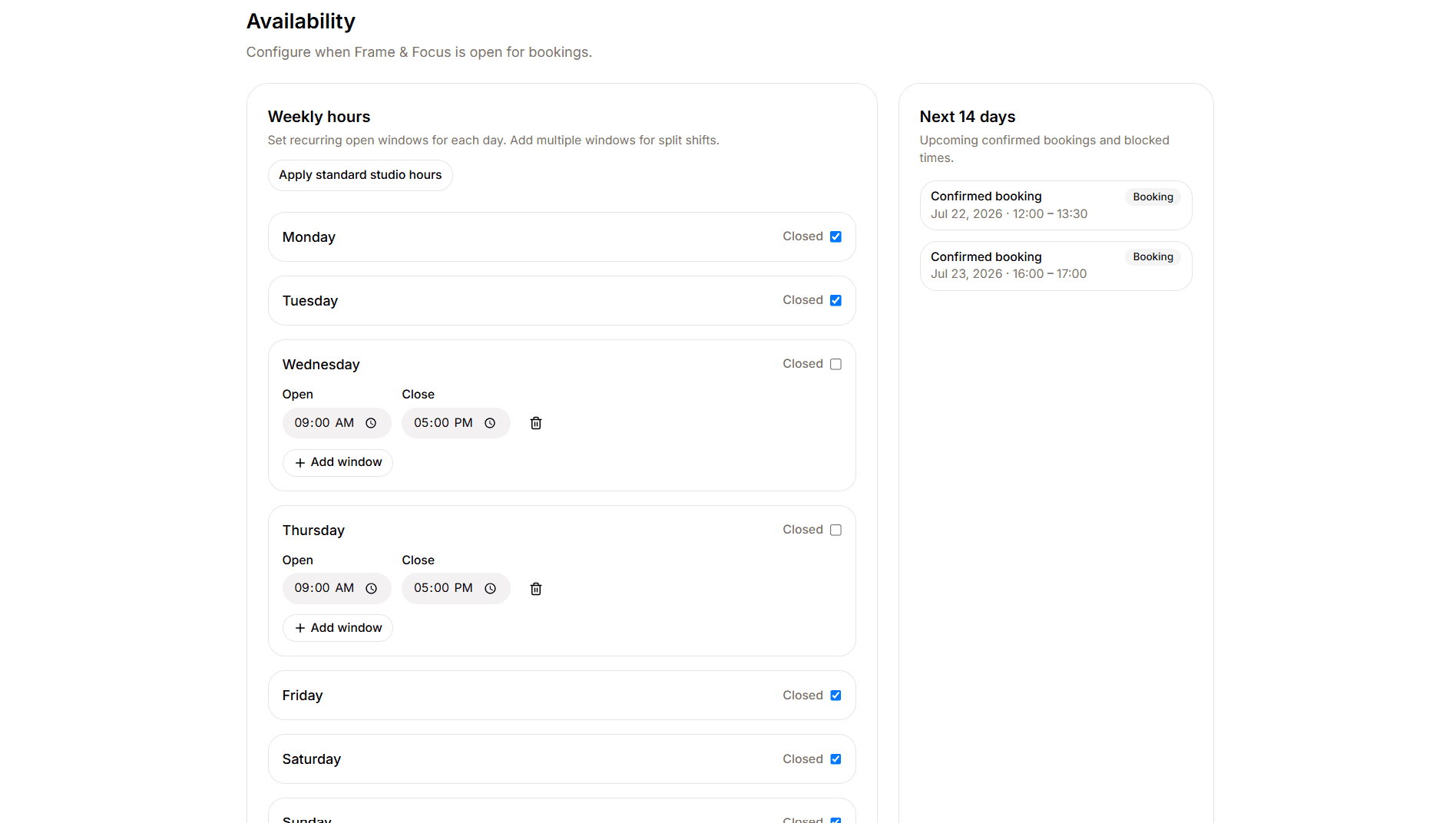
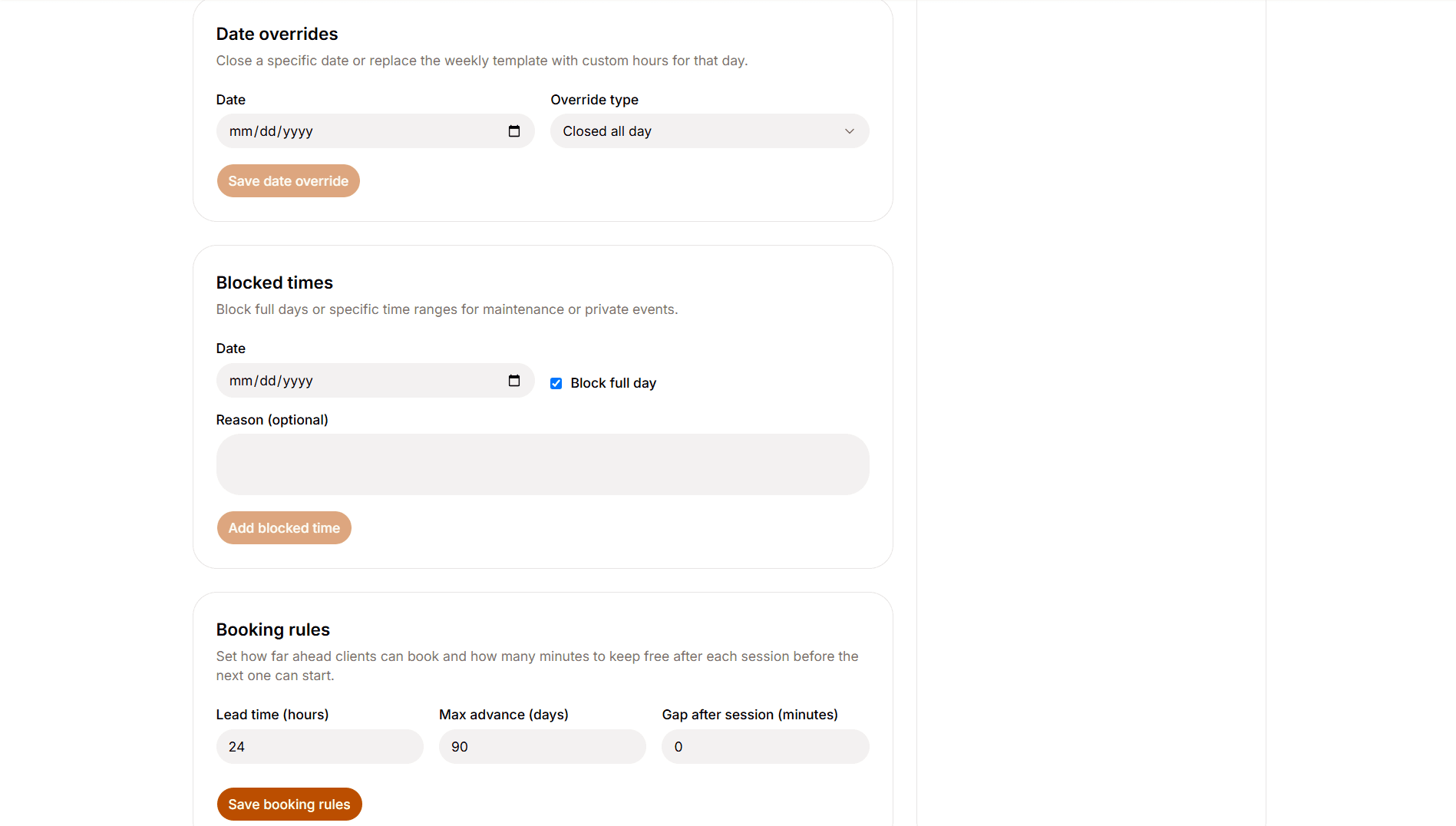
Availability engine
Owners control when the studio can be booked. They set weekly opening hours, date overrides, blocked times for private use and rules like how far ahead clients can book and how much gap to leave after a session. Confirmed bookings and unpaid holds on a slot both count, so clients only see times that are truly free.
- 08
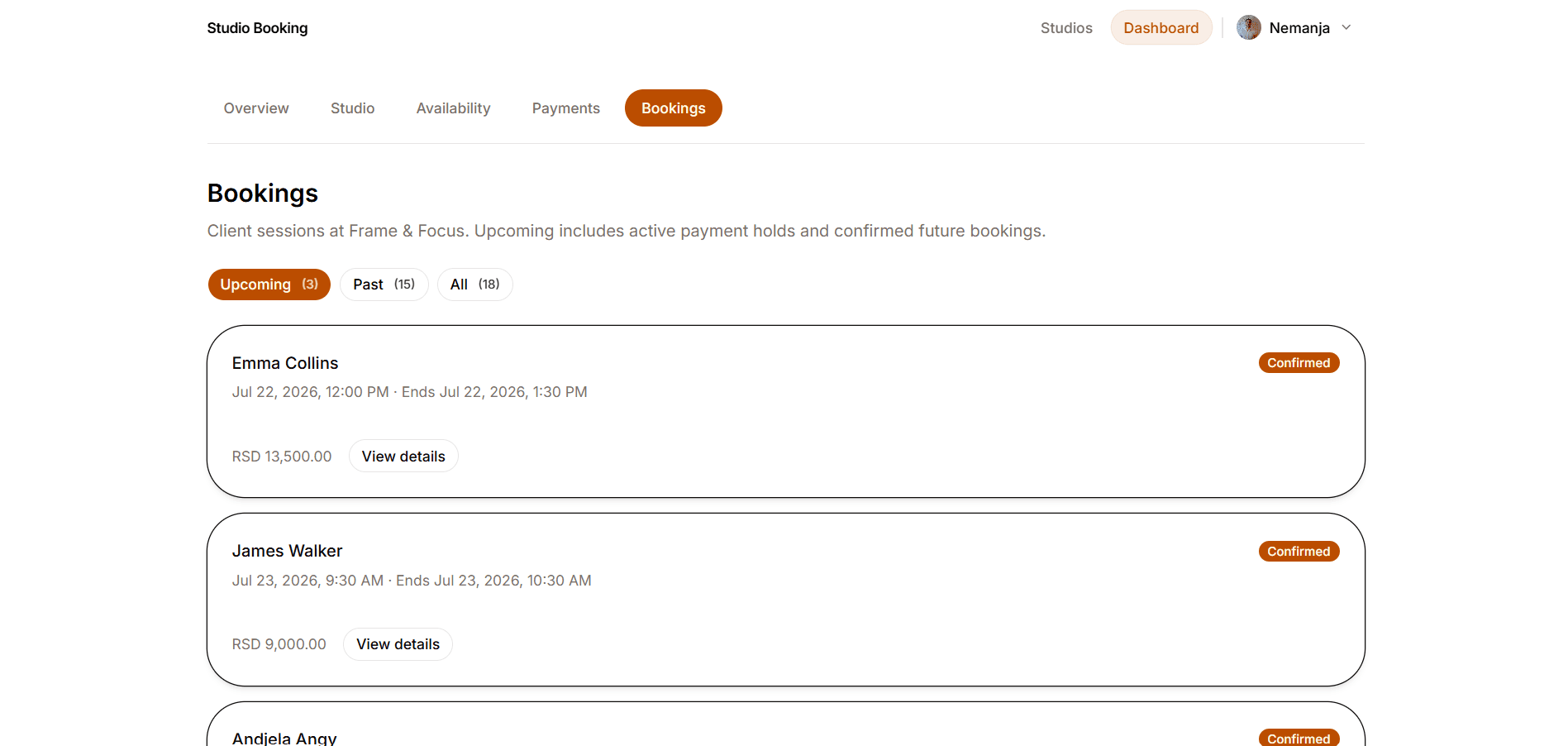
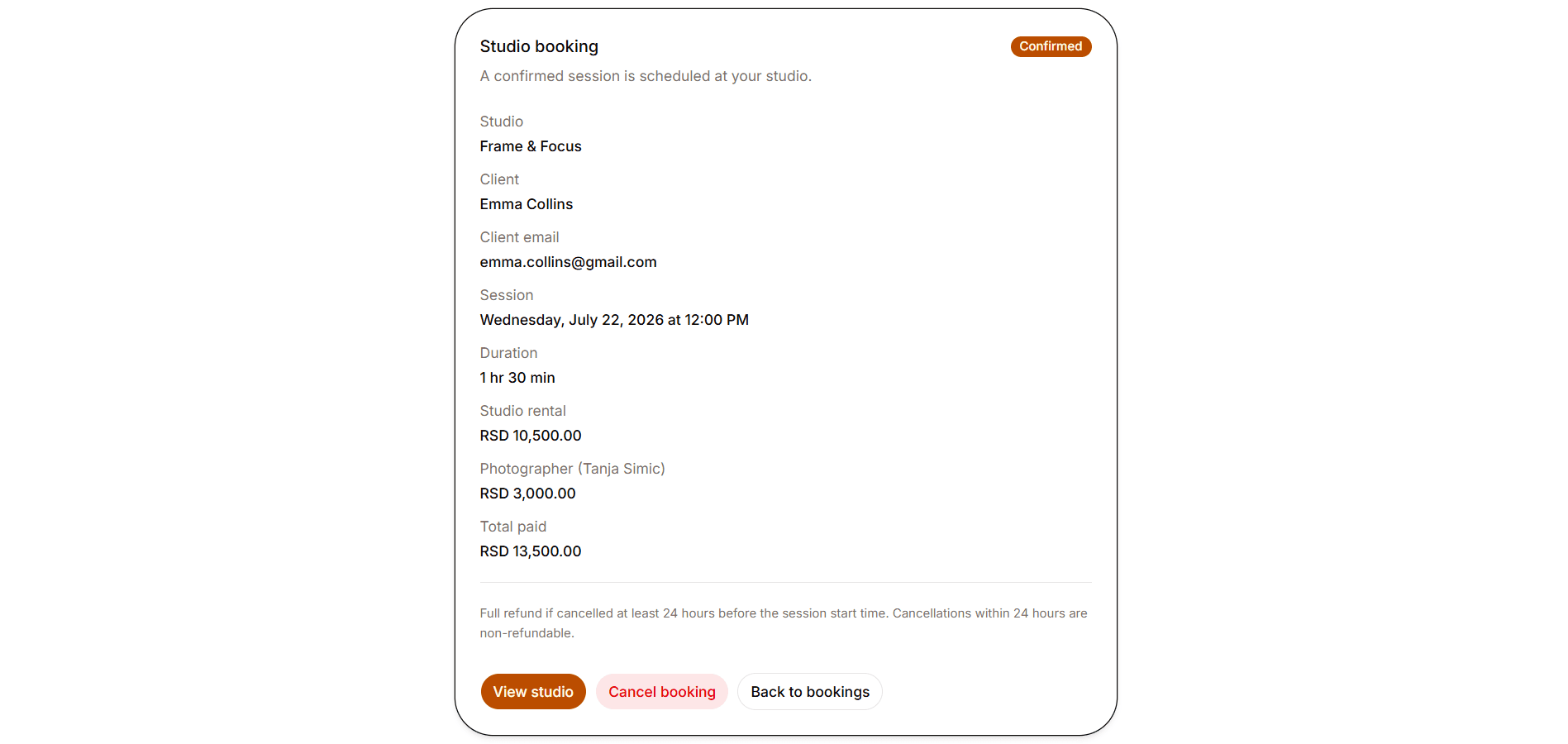
Owner booking operations
Owners can review upcoming, past and all bookings for their studio, with client contact details on each booking. Cancel and refund follow the same cutoff rules clients get.
- 09
Admin applications
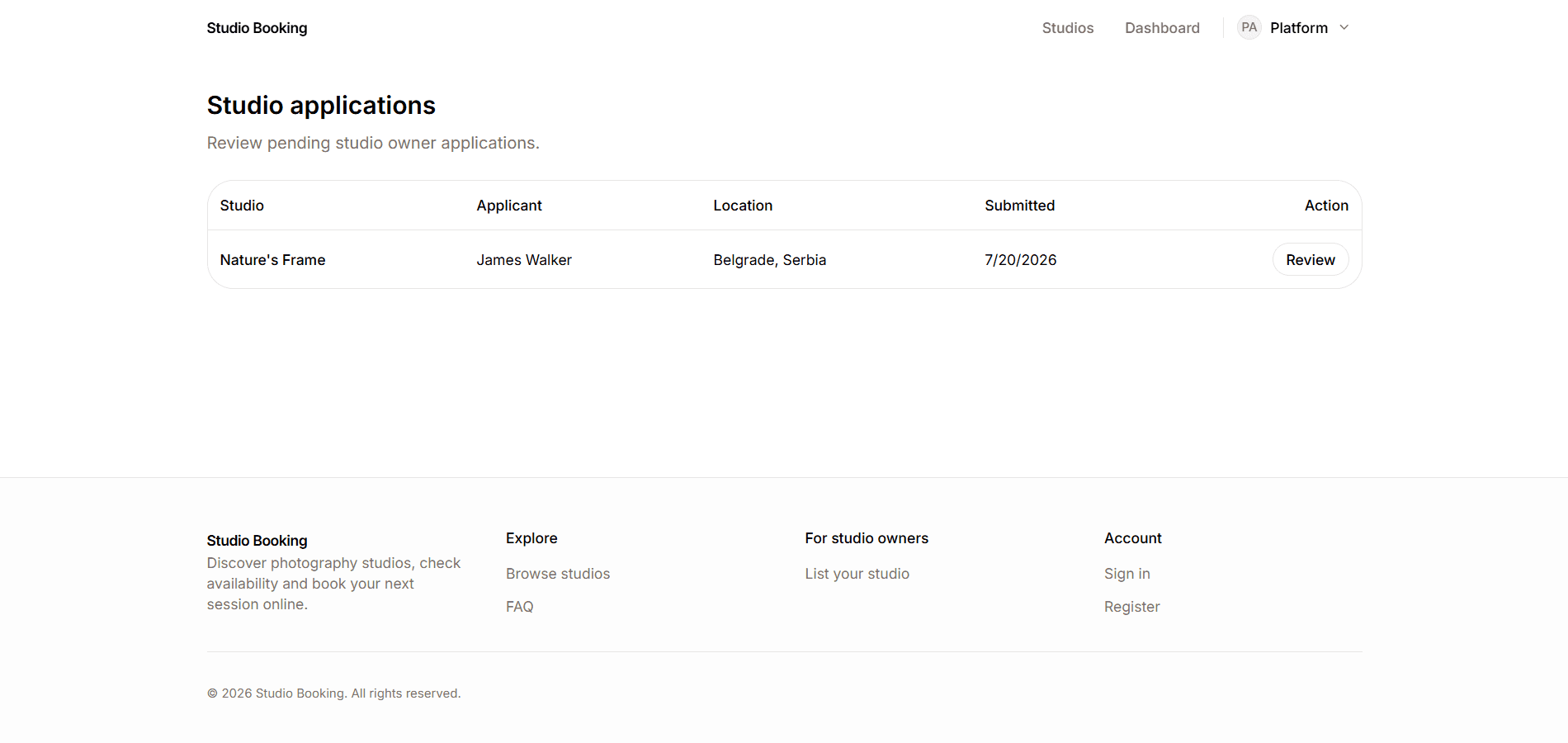
Admins review pending studio-owner applications in a simple queue. Approving creates a draft studio, upgrades the applicant to studio owner and sends an email. Rejecting archives the application and emails the applicant. If needed, the admin can also include a rejection reason.
Features
Discovery & booking
- Public studio catalog with city, keyword, price and equipment filters
- Studio detail pages with description, pricing, equipment, rules, location, gallery and Coming soon or Bookable status
- Date and time selection that avoids double bookings, with a short hold while the client finishes payment
Accounts & applications
- Email/password and Google OAuth with role-based access for client, owner and admin
- Client account area for overview, bookings, profile and security settings
- Studio-owner applications with admin approve or reject and transactional emails
Owner & admin tools
- Owner dashboard for studio setup, publishing, payouts and booking management
- Availability tools for weekly hours, date overrides, blocked times and booking rules
- Admin queue to review and approve or reject studio-owner applications
How it's built
I built the app with Next.js App Router, React Server Components and Server Actions on Vercel, backed by Supabase Auth, Postgres, Storage, RLS and pg_cron. Payments use Stripe Checkout with Connect Express per studio, confirmation is webhook-driven and Resend handles transactional mail. Mapbox powers geocoding and the studio map.
Publish is not the same as bookable
Owners can publish a finished listing before payouts are fully connected, so the studio can show up as Coming soon. Booking and checkout unlock only after payouts are ready, which means studios stay discoverable while onboarding without taking online payments before they can receive them.
Treating time as the inventory
Unlike a product store, the inventory here is open time on the calendar. Availability is built from weekly hours, date overrides, blocked times, confirmed bookings and unpaid holds that still reserve a slot. Before a booking is created, the app runs an overlap check against confirmed sessions and active holds. A Postgres GiST index on confirmed time ranges adds a second safeguard, so two paid bookings cannot share the same studio at the same time.
Confirming payment before a booking is final
A booking only becomes confirmed after Stripe reports that payment succeeded, so the calendar does not treat a session as sold too early. When an owner finishes payouts setup, Stripe also notifies the app. That is what moves a published studio from Coming soon to Bookable. If a booking is cancelled in time, the client gets a full refund under the studio’s rules.
Clear roles and data access
The app has three roles: client, studio owner and admin. Clients only see their own bookings, owners only manage their studio and its bookings and admins only handle applications. Access is enforced in the app layer and with database row-level security, so one account cannot reach another role’s data.
Tech stack
Frontend
- Next.js 16 (App Router, RSC, Server Actions)
- React 19
- TypeScript 5
- Tailwind CSS 4
- shadcn/ui
- Zod 4
Backend
- Supabase Auth
- PostgreSQL + RLS
- Supabase Storage
- pg_cron hold expiry
Services
- Stripe Checkout + Connect Express
- Resend
- Mapbox Geocoding + Mapbox GL
Hosting
- Vercel
Challenges
Preventing double bookings under payment delay
Approach: When a client starts checkout, the chosen time is held for 15 minutes. That hold counts as taken in overlap checks, a scheduled cron job clears expired holds and the client can finish payment before the hold runs out.
Result: The slot stays reserved during payment, but it opens again if the client never completes it.
Publish versus bookable for marketplace payouts
Approach: Publishing a listing and accepting paid bookings are separate steps. A studio can appear as Coming soon once the listing is ready. It becomes Bookable only after payouts are connected and synced.
Result: Owners can start getting discovered, then turn on online booking as soon as they can receive payouts.
Safe owner onboarding through admin approval
Approach: New studio owners apply first and wait for an admin decision. Approval creates a draft studio, upgrades the account and sends an email. Rejection archives the application and notifies the applicant.
Result: Only approved applicants become owners. They land in a real draft studio instead of an empty account.
Want to see how I'd work on your team?
I'm open to full-time roles. Download my CV for a concise overview, or get in touch to talk about how I'd fit your team.