Case study
Miini E-Commerce
A furniture e-commerce platform for both customers and store owners. Customers can explore the catalog, keep a guest cart and pay securely at checkout. Owners manage the catalog, fulfill orders, handle customers and track sales from an admin panel.
- Role:
- Solo full-stack developer
- Type:
- Personal product / skill demo
- React
- Redux Toolkit
- Tailwind CSS
- Node.js
- Express
- MongoDB
- Stripe
- Resend
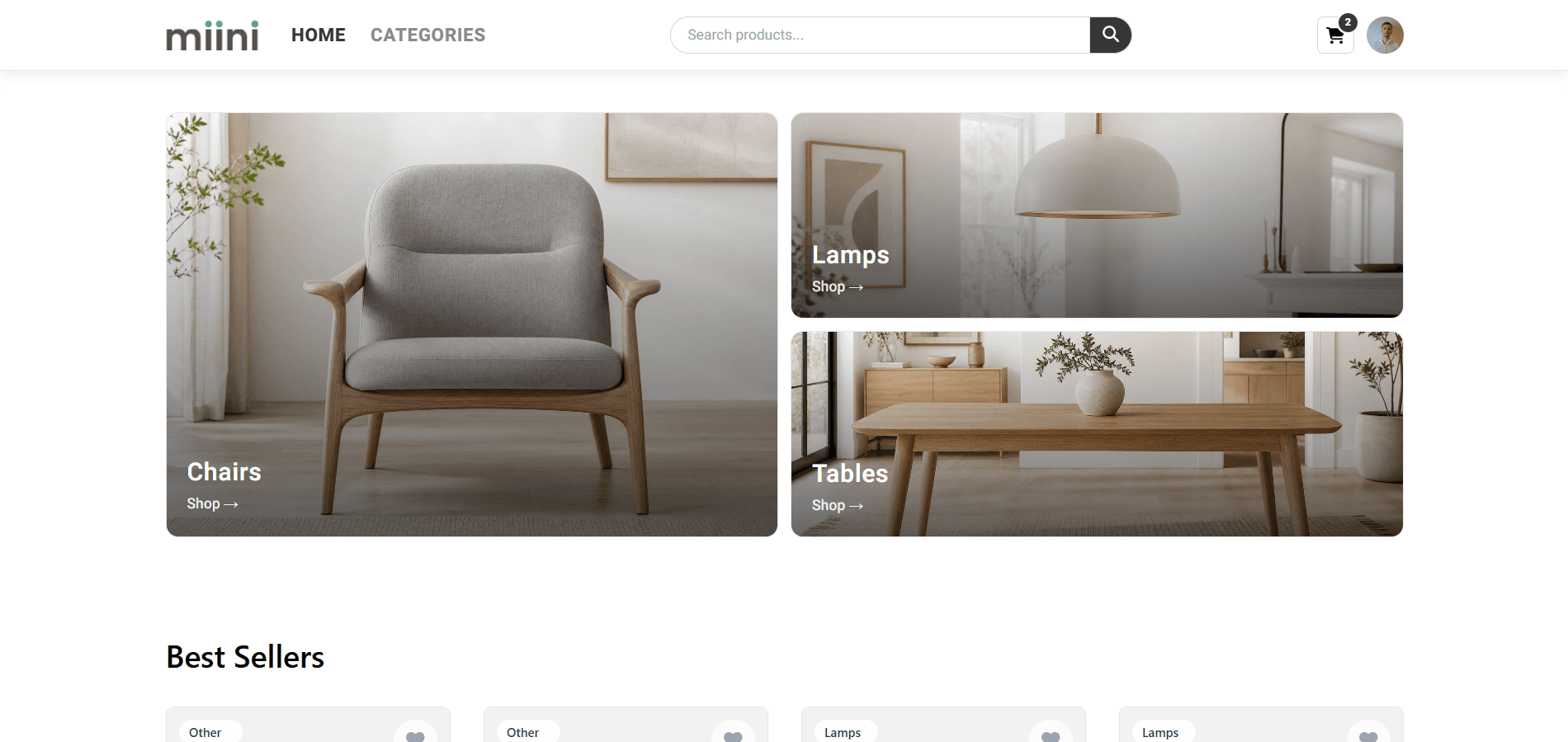
Overview
Miini is a full-stack furniture e-commerce platform built to show how a modern online store can serve both customers and the business behind it. Customers can browse products, add items without creating an account, pay securely and manage their orders. Store owners get a dedicated admin dashboard to manage products, inventory, customers and order fulfillment from one place.
Problem
- Shoppers often leave when they must create an account before they can browse or add items to a cart.
- Guests who sign in at checkout can lose their cart and abandon the purchase.
- A storefront alone is not enough. Owners also need catalog control, stock tracking, fulfillment tools and clear sales visibility.
Goals
- Make it easy for customers to browse, build a cart and buy without unnecessary friction.
- Keep the cart intact when someone signs in or registers at checkout.
- Connect payments, order status and customer emails so every purchase is easy to follow.
- Give store owners a clear admin panel for products, orders and everyday store work.
Solution walkthrough
A walkthrough of the customer journey and the admin tools that help manage daily store operations.
- 01
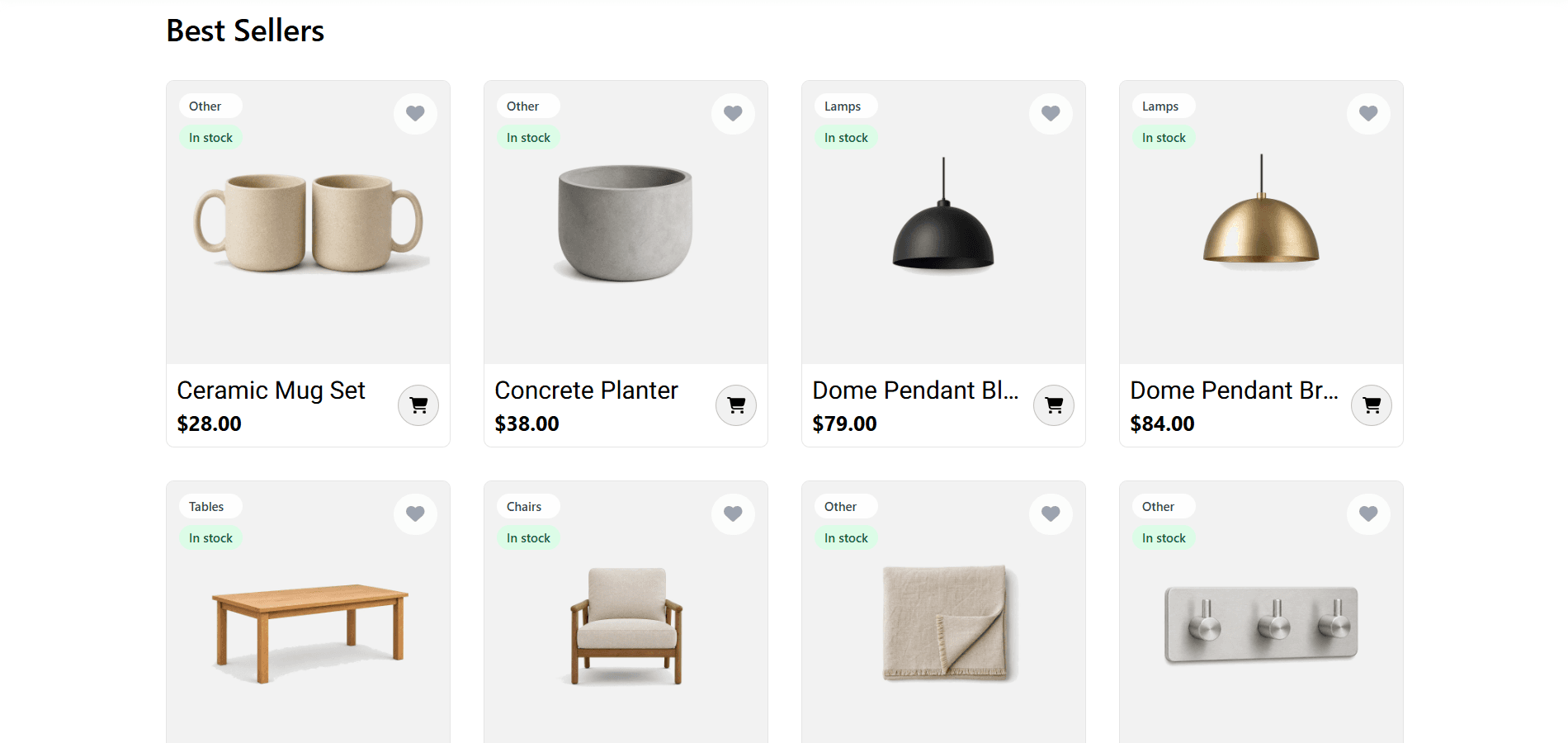
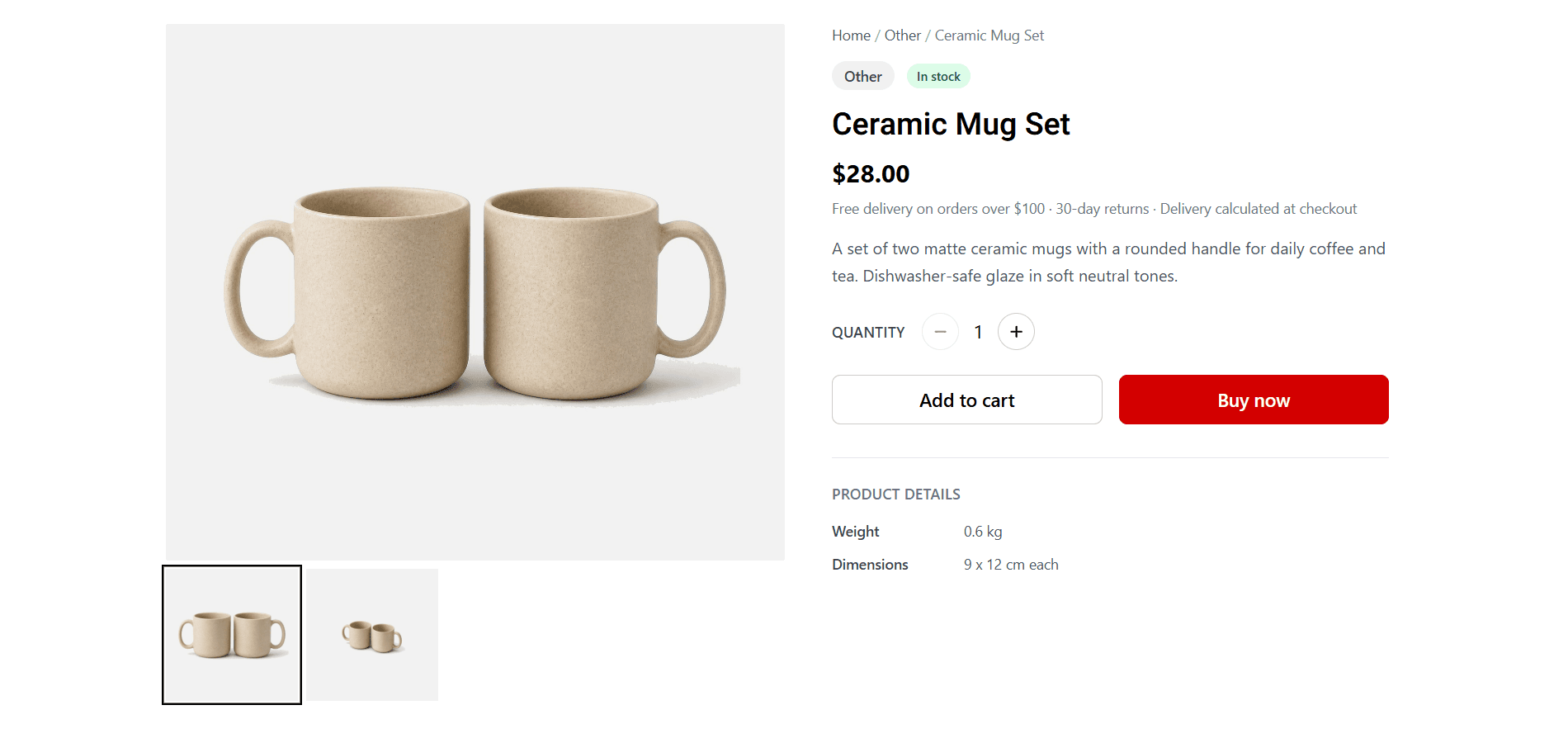
Browse & discover
The storefront helps customers find products quickly through categories, search, and product pages with clear images, details and availability. The experience is designed to reduce friction from browsing to purchase.
- 02
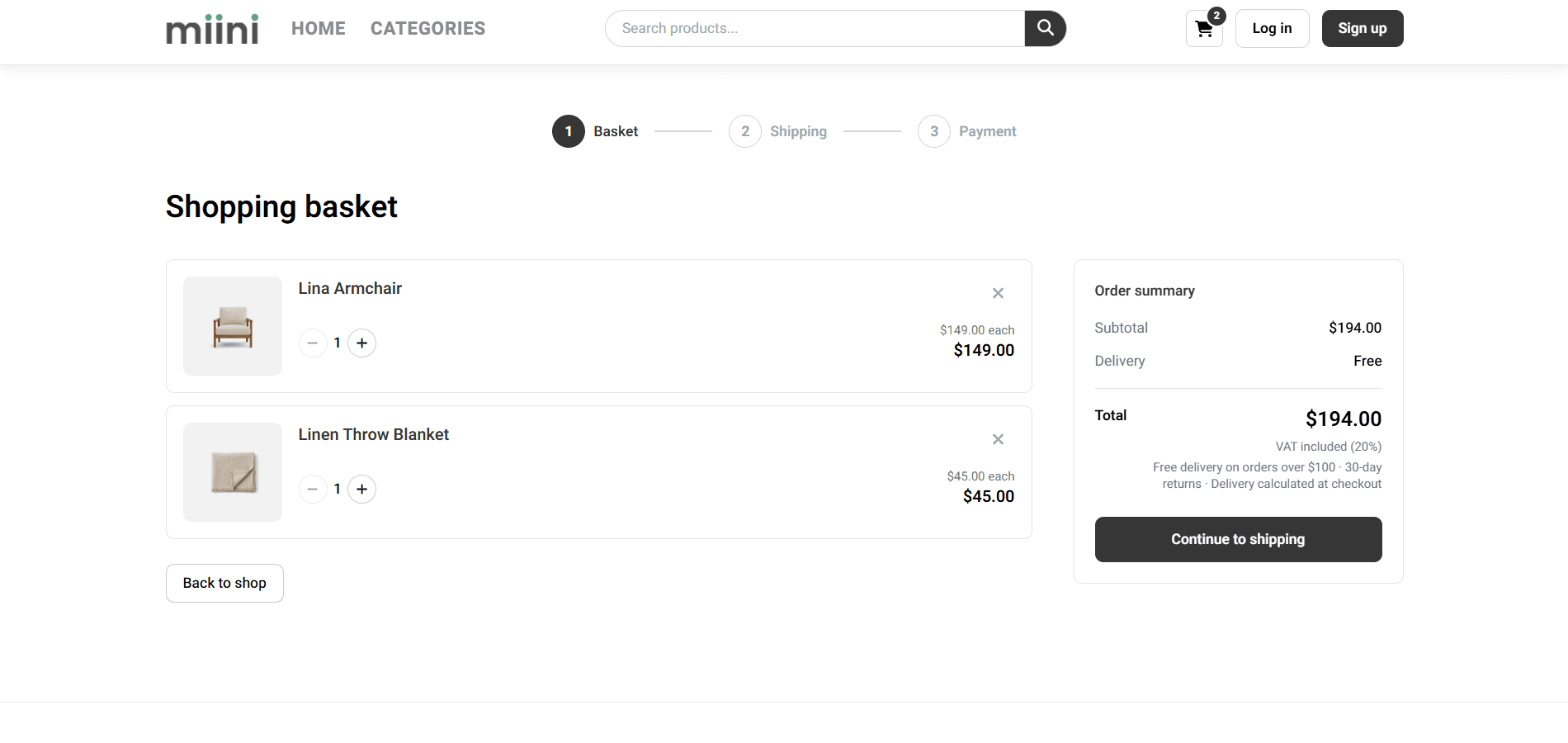
Shop before creating an account
The cart works without an account. Items stay in the browser while the customer continues shopping and the basket merges after login so nothing is lost on the way to checkout.
- 03
Checkout
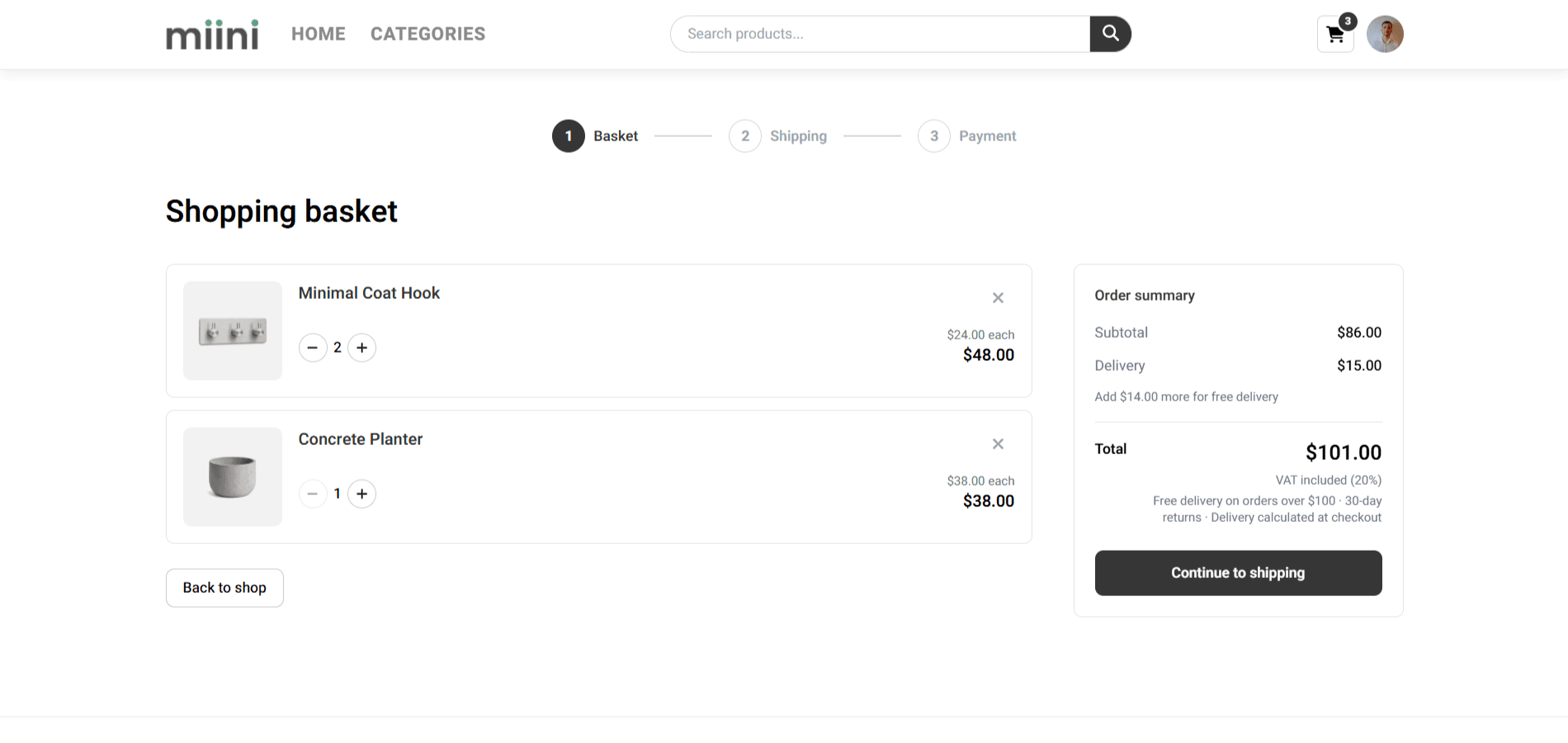
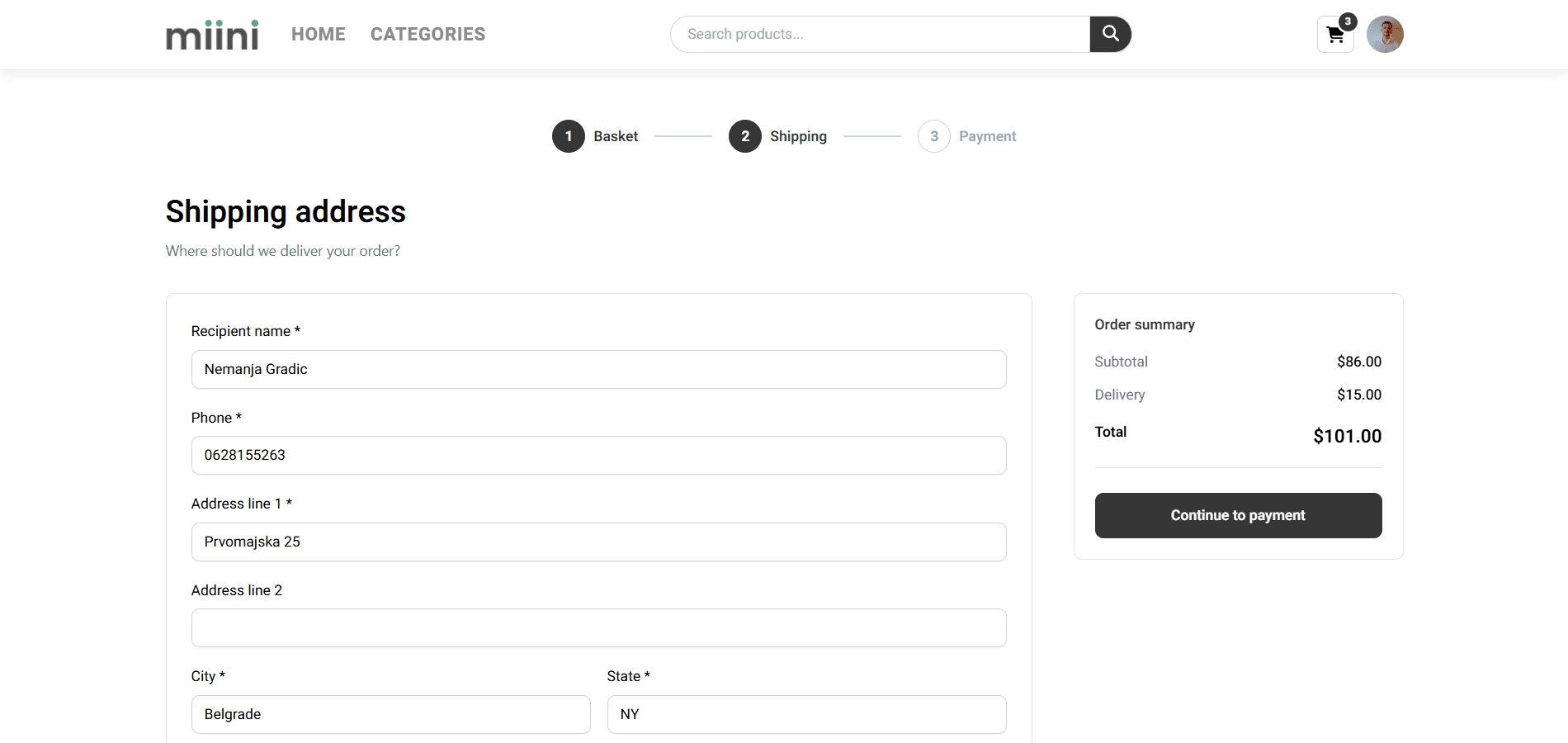
Checkout follows a clear path: basket, shipping address, then payment. Shipping supports the US and Canada, with free delivery above a configurable threshold. Payment runs through Stripe Checkout and the cart clears after a successful purchase.
- 04
Orders & account
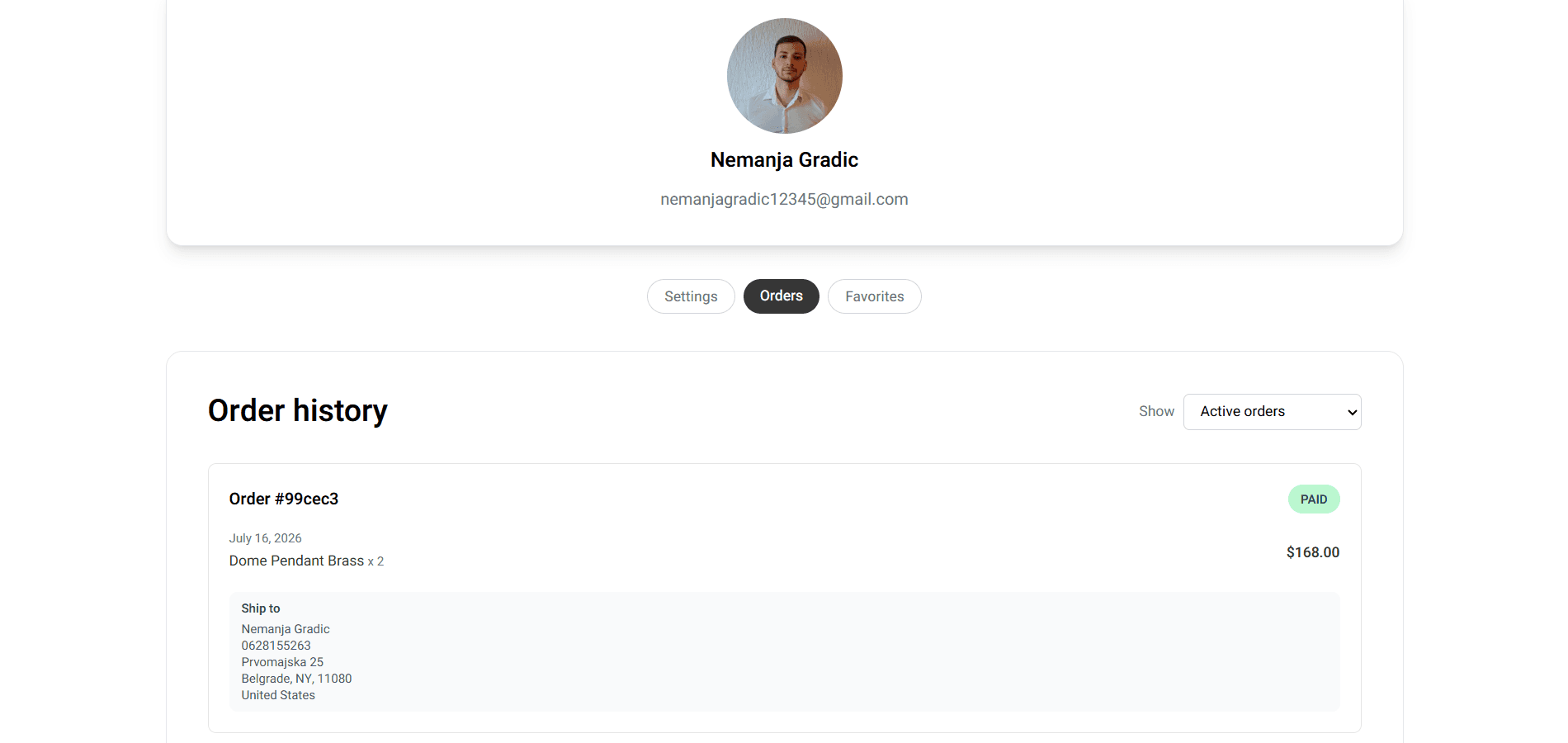
After purchase, customers manage orders and profile settings from their account. Order history covers the full status flow from pending to paid, processing, shipped and delivered, as well as canceled and refunded orders. Unpaid orders can resume payment and pending orders can be canceled.
- 05
Admin dashboard
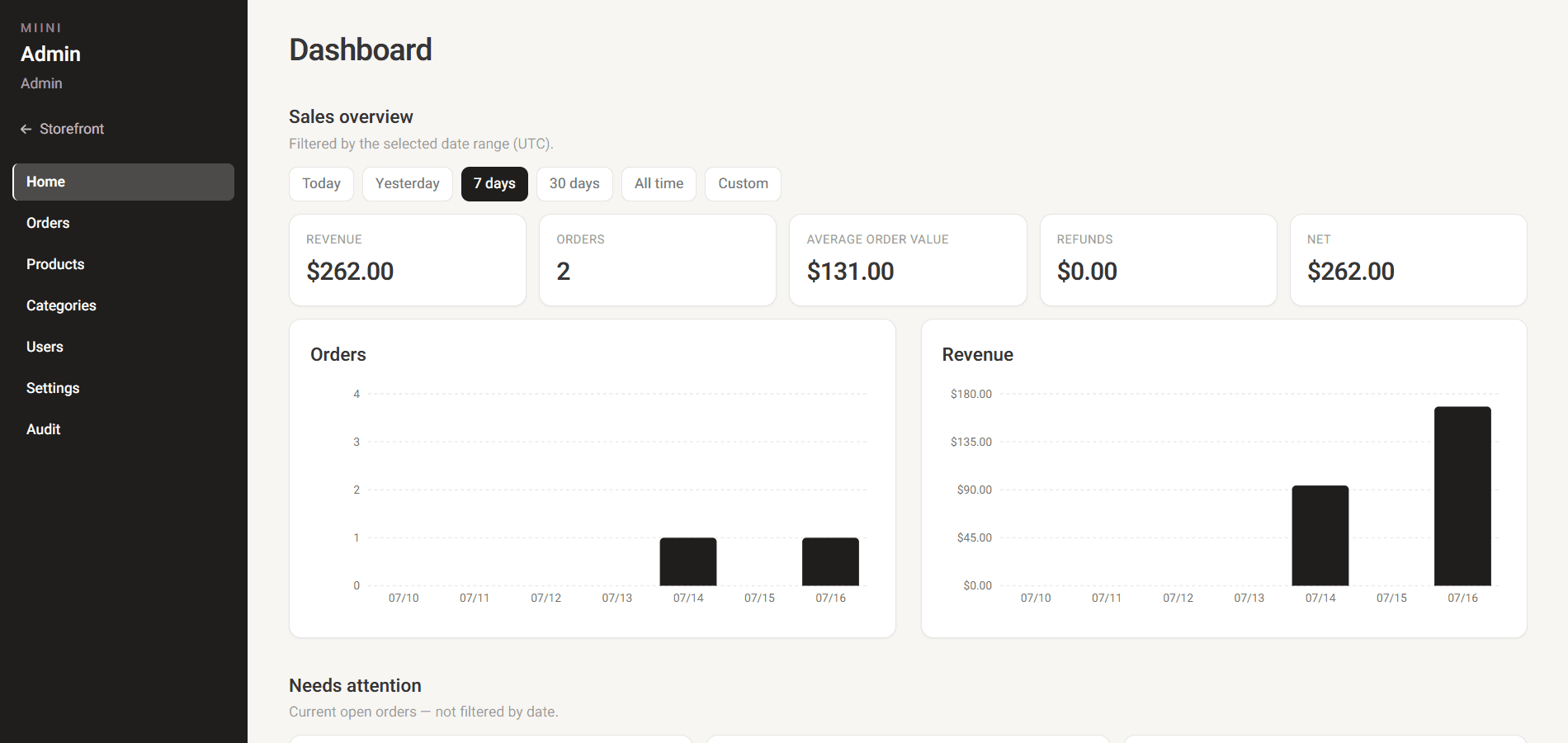
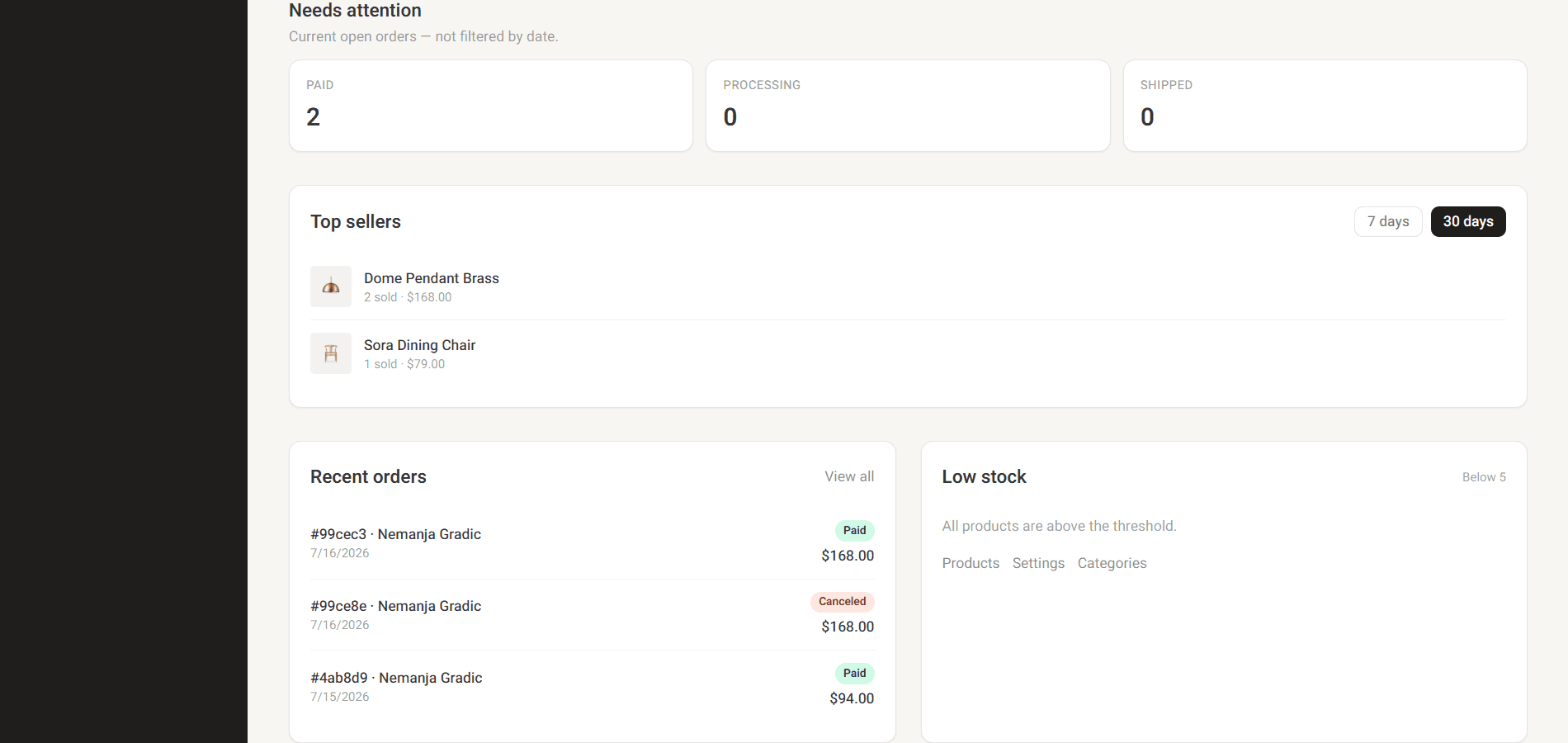
The admin home screen gives a sales overview with revenue, average order value, refunds and net revenue, along with charts by period, a fulfillment queue, top sellers, recent orders and low-stock alerts.
- 06
Catalog CMS
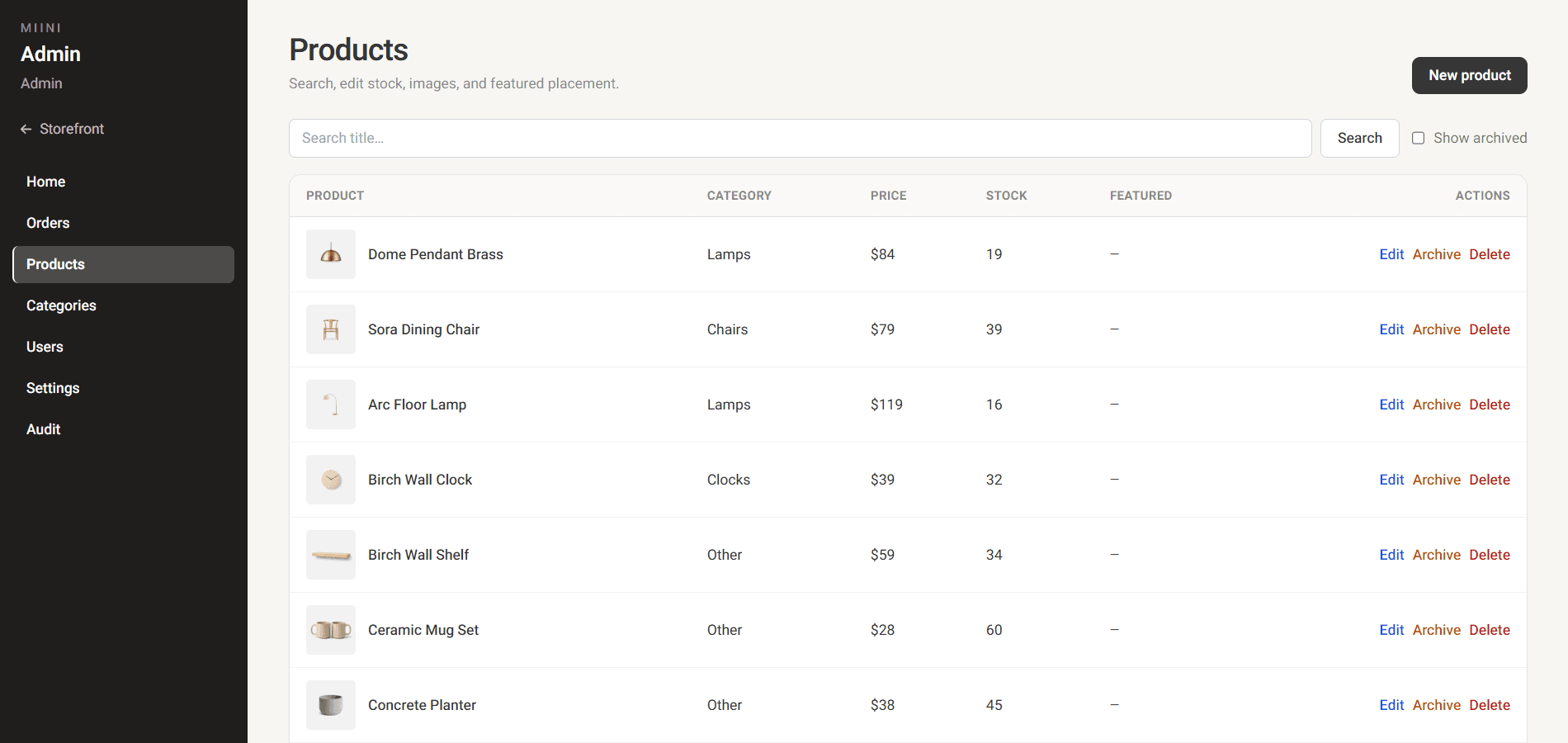
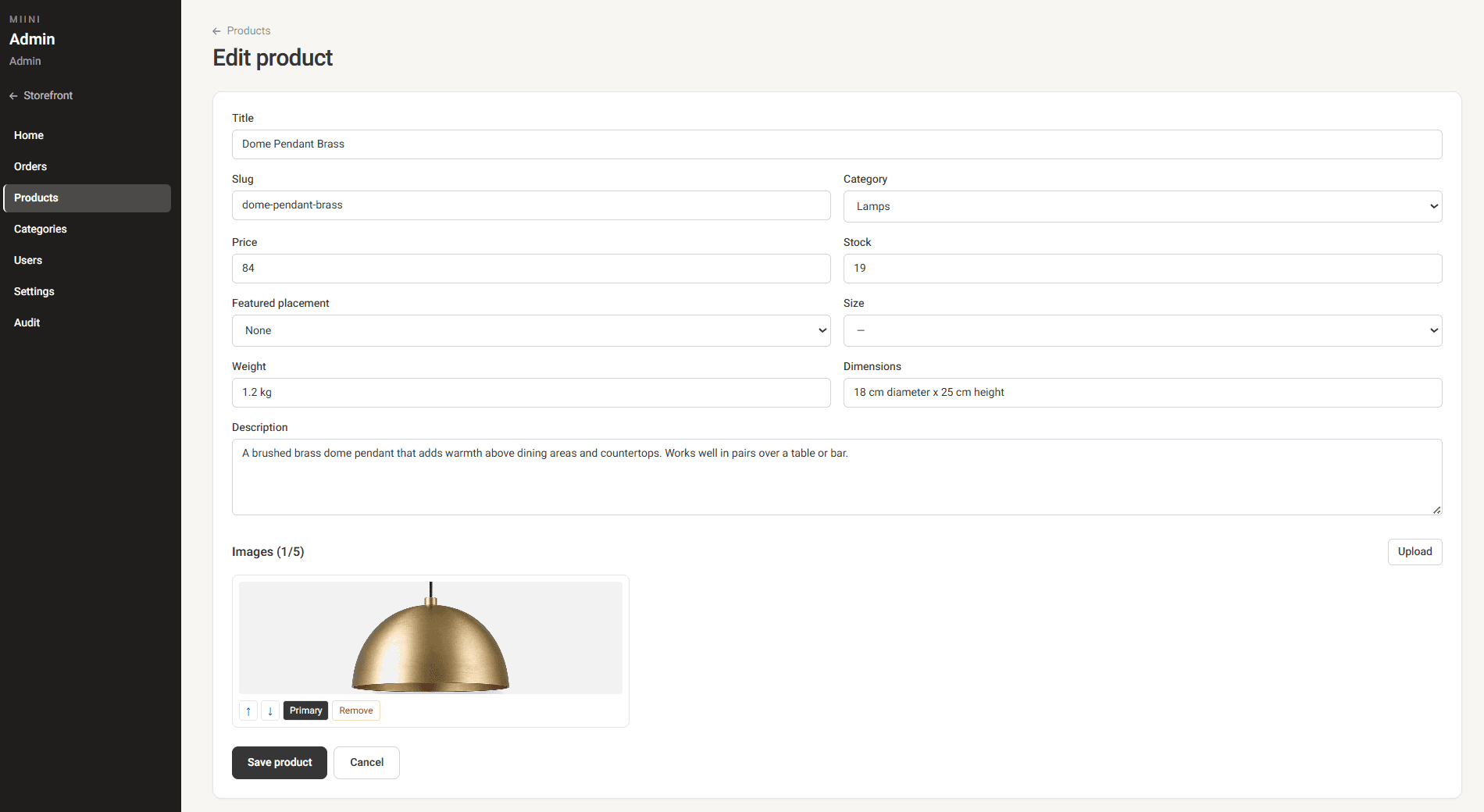
Admins create and edit products with multi-image upload, stock management, categories and featured placement for best sellers and trending products, including archive, restore and permanent delete options. Categories can be created, ordered and optionally assigned an image for the storefront.
- 07
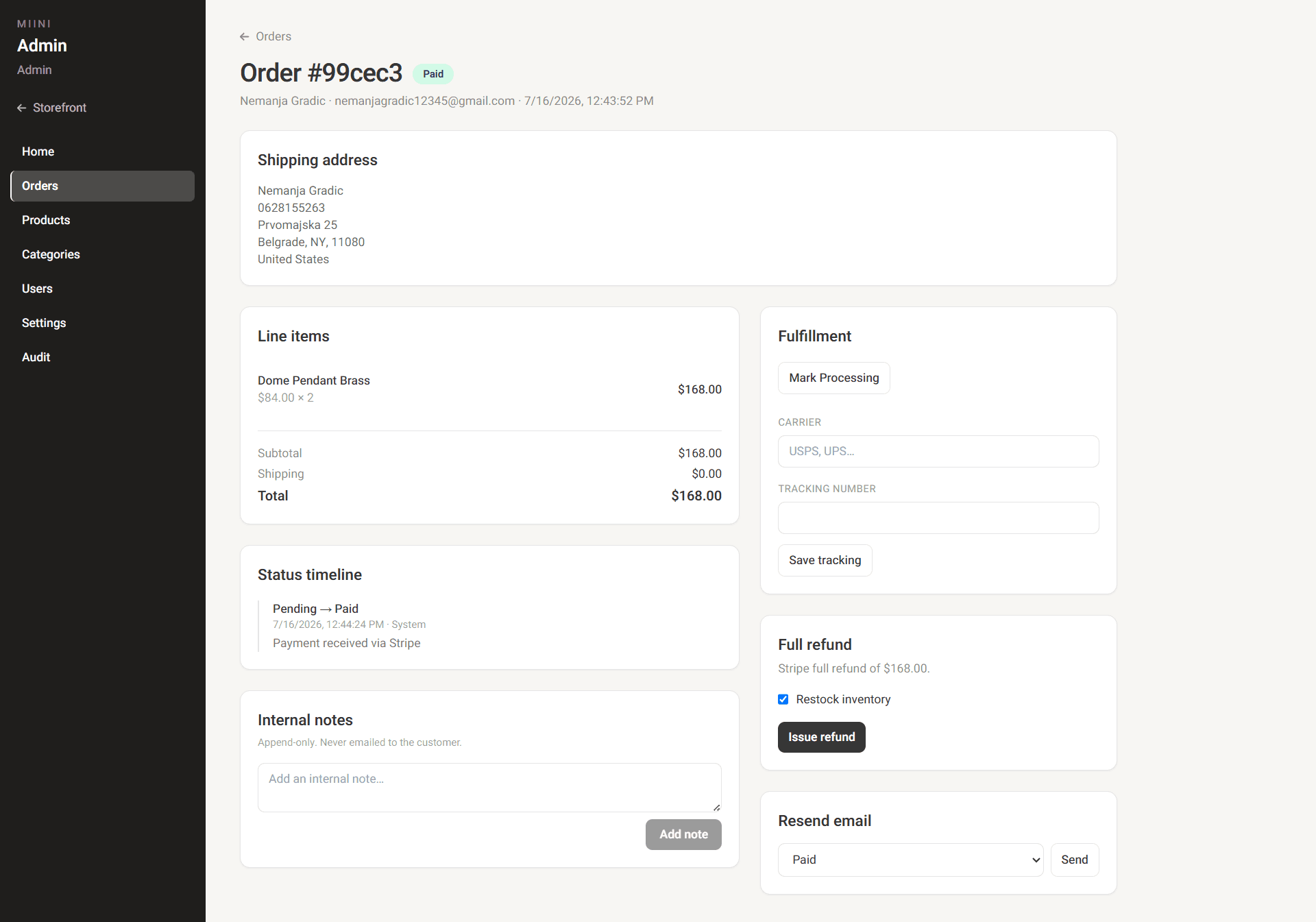
Order operations
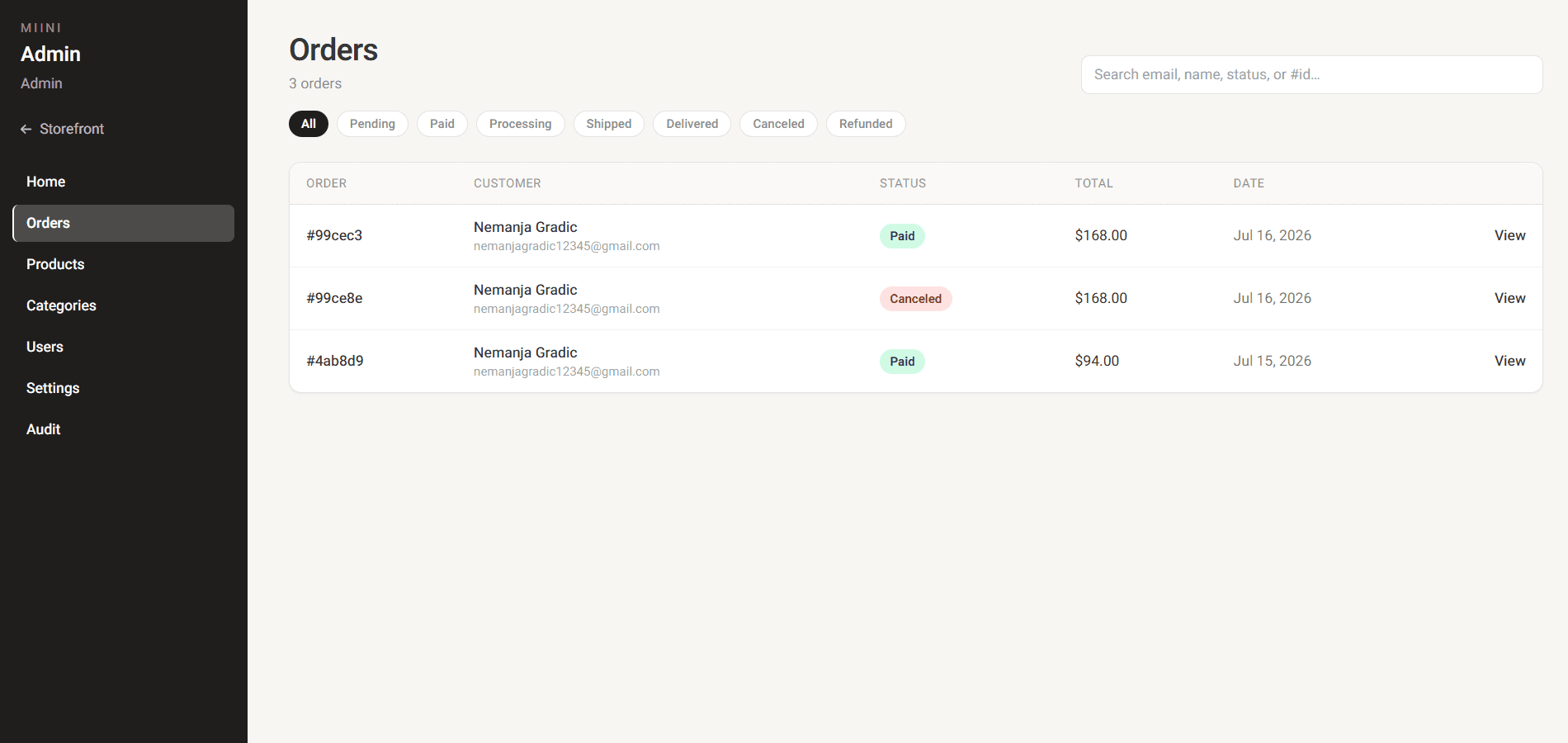
Orders can be searched and filtered by customer name, email, order status or order ID. From the detail view, admins update fulfillment, tracking and internal notes, issue full Stripe refunds with optional restock and resend order emails when needed.
Features
Storefront
- Product discovery with categories, search and detailed product pages
- Guest shopping with cart persistence until checkout
- Customer accounts with profile management and saved favorites
Checkout & orders
- Streamlined checkout with shipping details and Stripe payments
- Order history with status updates and transactional emails as the purchase moves forward
- Resume unpaid orders or cancel pending ones from the account
Admin / CMS
- Product and category management with image uploads and inventory control
- Order fulfillment with search, filtering, tracking and refunds
- Business dashboard with sales insights, customer management, store settings and searchable audit log
How it's built
Miini is built as a full-stack e-commerce application with a React storefront on Vercel, a Node.js API on Railway and a MongoDB database. Payments are handled through Stripe Checkout and webhooks, while Resend provides transactional emails. Authentication uses secure JWT cookies, with backend protection for customer and admin workflows.
A smoother shopping experience
The cart supports both guest and registered customers, allowing shoppers to explore products freely while keeping their selections when they create an account.
Reliable payment and order workflows
Stripe Checkout and webhooks keep payment status, order updates and refund handling synchronized automatically, while transactional emails keep customers informed throughout the order process.
Admin as a real CMS
The admin dashboard provides the tools needed to maintain products, inventory, orders and customer activity without requiring code changes.
Tech stack
Frontend
- React 18
- Redux Toolkit
- React Router
- Tailwind CSS
- Recharts
Backend
- Node.js
- Express
- MongoDB / Mongoose
- JWT in HttpOnly cookies
- Multer + Sharp
Services
- Stripe Checkout + webhooks + refunds
- Resend
Hosting
- Vercel
- Railway
Challenges
Cart across guest and logged-in states
Approach: The store needed to allow customers to browse and add products without requiring an account. The cart system was designed to support both guest and registered shoppers while preserving items during account creation.
Result: Customers can explore products freely and continue their purchase journey without losing their cart.
Keeping payments and orders synchronized
Approach: Checkout creates a Stripe Checkout Session; webhooks update paid and refunded states so the admin timeline and customer emails match payment reality.
Result: Fulfillment, refunds with restock, and order emails stay consistent with Stripe.
Fulfillment tools store owners can run themselves
Approach: Order detail was built so owners can update status, add tracking, leave internal notes, resend emails and issue refunds with restock without touching code or the database.
Result: Day-to-day order work stays in the admin panel, so the store can keep moving after a sale.
Want to see how I'd work on your team?
I'm open to full-time roles. Download my CV for a concise overview, or get in touch to talk about how I'd fit your team.